


Review: SiteAssist Professional 1.0


Archiving for Later
The last step in the process is “Save As…” (Figure 5.) One neat feature here is the ability to manage placeholder (“Lorem Ipsum”) text that will be included when SiteAssist generates all the pages of your new site. While helpful in a visual sense for showing your clients how the site will look, the extended pseudo-Greek might be a nuisance for you when plugging in the real content after you’ve received approval for the design.
Figure 5 SiteAssist lets you save all the modifications you’ve just made as its own site type that you can modify later (removing all the placeholder text, for example). Click on the image to see a larger version.
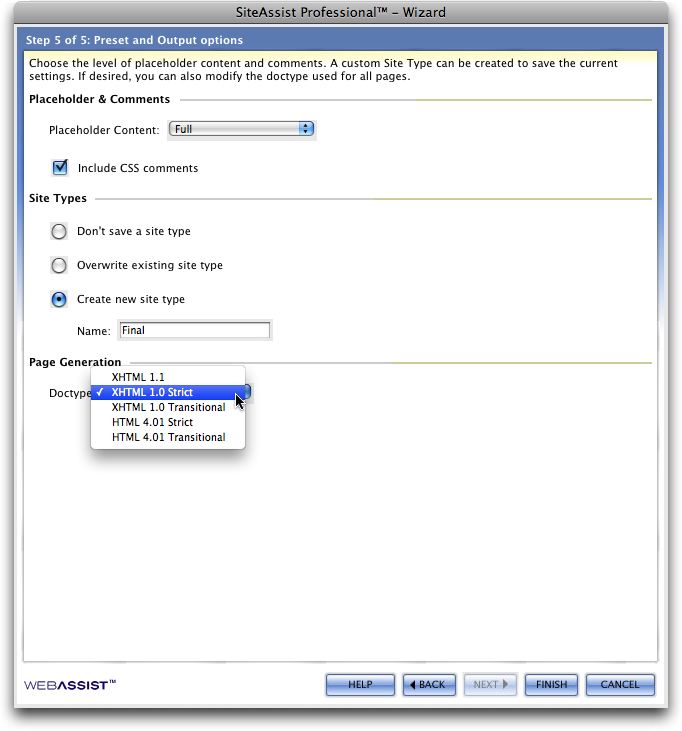
Additionally, this is where you tell SiteAssist what kind of site you want to build. Your choices include different flavors of XHTML and HTML. My advice: Choose the coding strategy with which you’re most comfortable, but stick with its “Strict” interpretation for greater browser compatibility and easier portability.
“Make it so!”
The beauty of the process described above is that while those five steps probably took a matter of minutes, the product is a fully functioning architecture that could have taken hours to code and troubleshoot. You have time to take a coffee break before you come back and start populating the templates with actual content.
SiteAssist Professional 1.0 is aimed at Dreamweaver users who want to create standards-compliant, browser-agnostic site frameworks that make up in time-to-completion what they may lack in design singularity. This version’s increased reliance on CSS for navigation combined with steady cross-platform functionality and the ability to incorporate other Web 2.0 technologies make SiteAssist a reliable timesaver for its intended user.
This article was last modified on January 18, 2023
This article was first published on September 22, 2008
Commenting is easier and faster when you're logged in!

Recommended for you

Extensis Launches FontLink; Delivers Fonts for Adobe InDesign Server Workflows
Portland, Ore—March 31, 2015—Extensis® today launched FontLink™, a new module fo...

10 Photoshop Efficiency Tips from CreativePro Week
Use these quick tips to increase your efficiency and enjoyment in Photoshop.

Photoshop CC 2015.5 New Features
Adobe has promised subscribers to its Creative Cloud plan that it will release m...