


Reply To: I can't remove page number on master page


This article was last modified on August 13, 2016
This article was first published on
Commenting is easier and faster when you're logged in!

Recommended for you

TypeTalk: Justify My Text
Q. How can I get the best result when setting justified text? My boss told me to...
Real World Tips for QuarkXPress 5: Text Flow and Styles
Excerpted from "Real World QuarkXPress 5" (Peachpit Press). Peachpit Press is of...
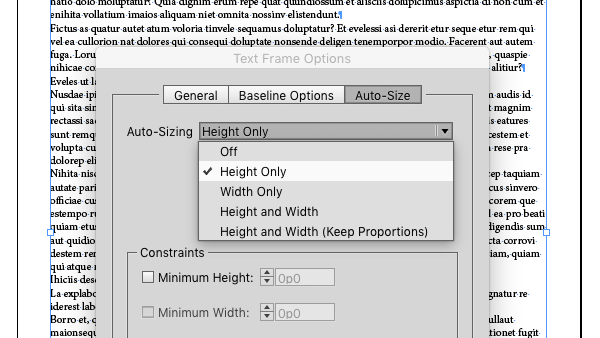
Auto-Size InDesign’s Text Frames
Make your InDesign text frames take their cues from the text they contain by usi...