




This article was last modified on June 2, 2016
This article was first published on
Commenting is easier and faster when you're logged in!
Loading comments...

Recommended for you
Article
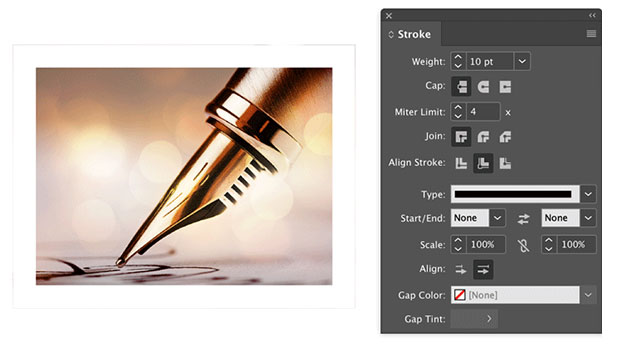
Help Squash This Bug: Placed Images Showing Outside the Frame
Here’s an annoying little InDesign bug that maybe we can get Adobe to finally sq...

Article
Building Accessible EPUBs with InDesign
Start with a strong foundation to reach more ebook readers.

Article
TypeTalk: Ellipsis Etiquette
TypeTalk is a regular blog on typography. Post your questions and comments by cl...