





In recent years several software companies, including my own, have brought out solutions to connect creative people who are working together but remotely. In this article I have a look at some of the different solutions available.

Sharing files
Email is OK for general communications but it should never be used when sharing the large files we deal with in illustrated book publishing. I’d also strongly recommend avoiding it for collaborating or sharing proofs and comments.
Wetransfer offer a neat and free solution to send big files to one or more others. It is simple and reliable, better than FTP, and more features come with the paid version.
However, if working within a team then centralizing your file sharing is much smarter than passing copies of files between each other. Google Drive, Box, Hightail and others offer ways to share centralized access to your files.
Dropbox offer this too and, in my opinion, have the best solutions for managing files within a creative team. I really like Dropbox desktop integration and synchronization. Files sit in a regular folder on your PC or Mac, you can work offline and files are then synced when online. It’s worth knowing about their “selective sync” feature: this lets you choose which folders you wish to access locally in order to free up space whilst knowing all other files are safe, available to others and easily retrievable.
There are ways to restrict access to certain areas and to prevent overwriting. Whilst I would not recommend relying upon Dropbox as your only backup solution, their paid version automatically saves every version of every file, and you can revert to a previous version if you need to.
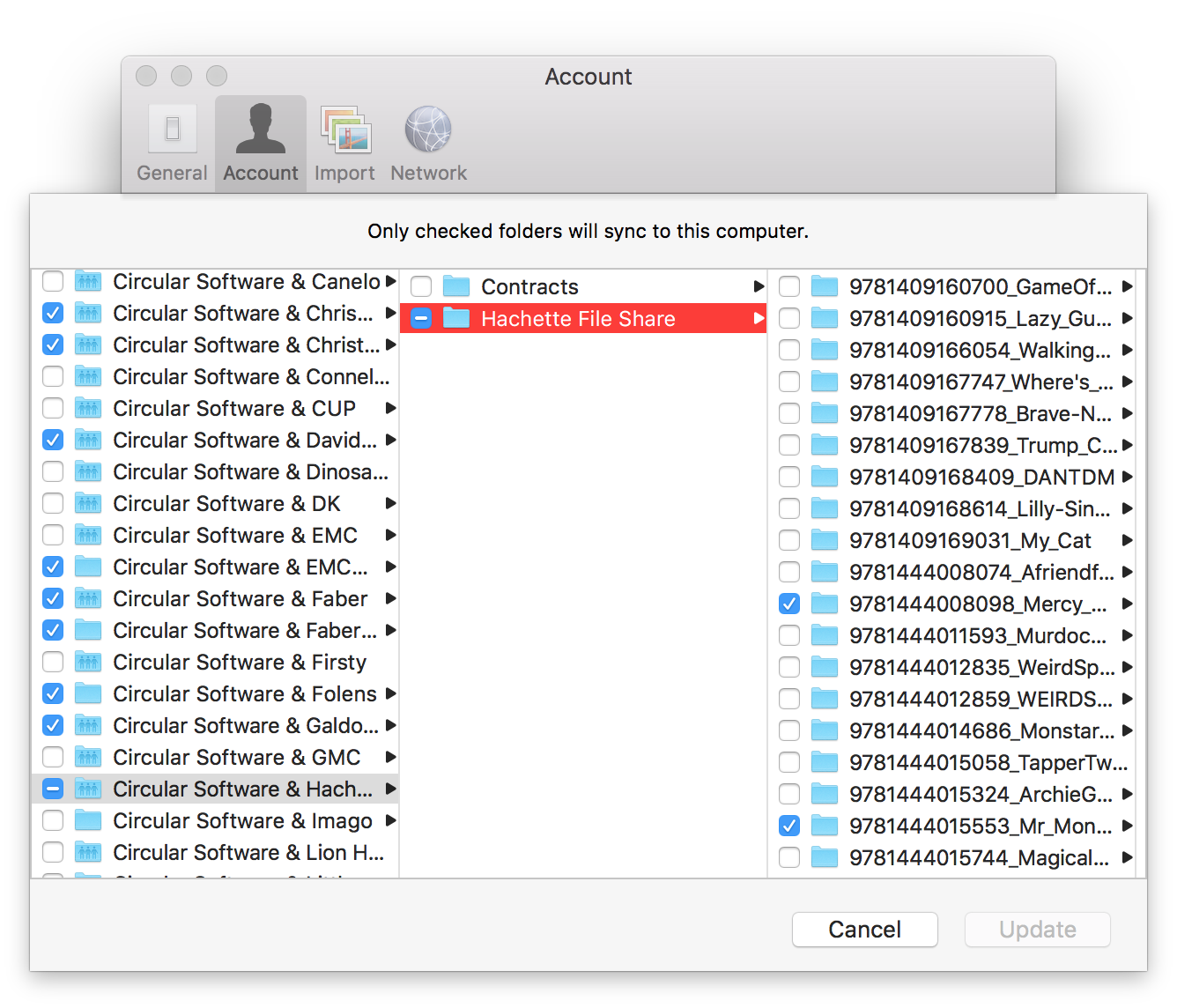
Dropbox selective sync lets you choose which shared files are on your computer
Collaboration
Whilst the creative process is happening then working together on the same publication and even on the same page becomes important.
As well as holding your files centrally Hightail and Dropbox also offer the ability to share PDF and image files for commenting and will notify users when comments are added.
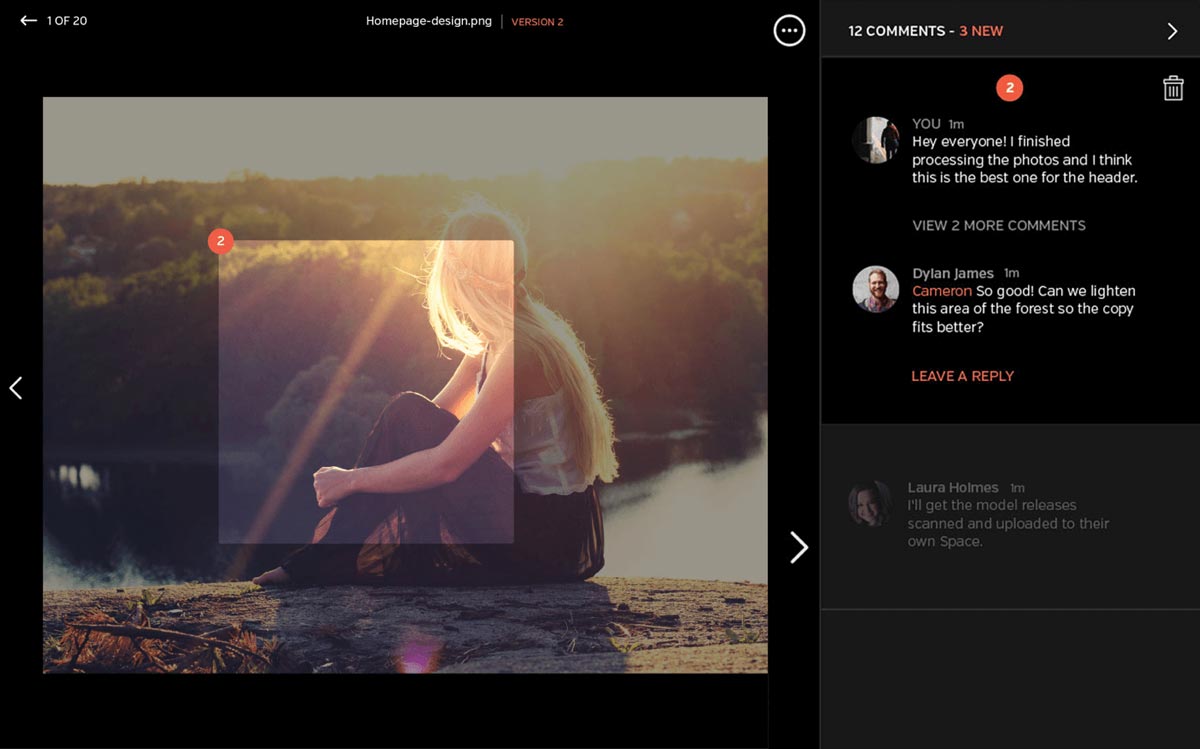
Hightail and Dropbox offer ability to add comments to images
Futureproofs is a cloud-based system designed by an experienced editor that focuses on the jobs that editors, proofreaders, authors and designers actually do. Its quick, precise annotation tools combine traditional standards-based markup with modern gesture recognition. Their built-in collaboration tools help your whole team stay on top of queries and decisions, and real-time data give deep insight into project management. Deadlines, live notifications and tracking are all held online for easy access.
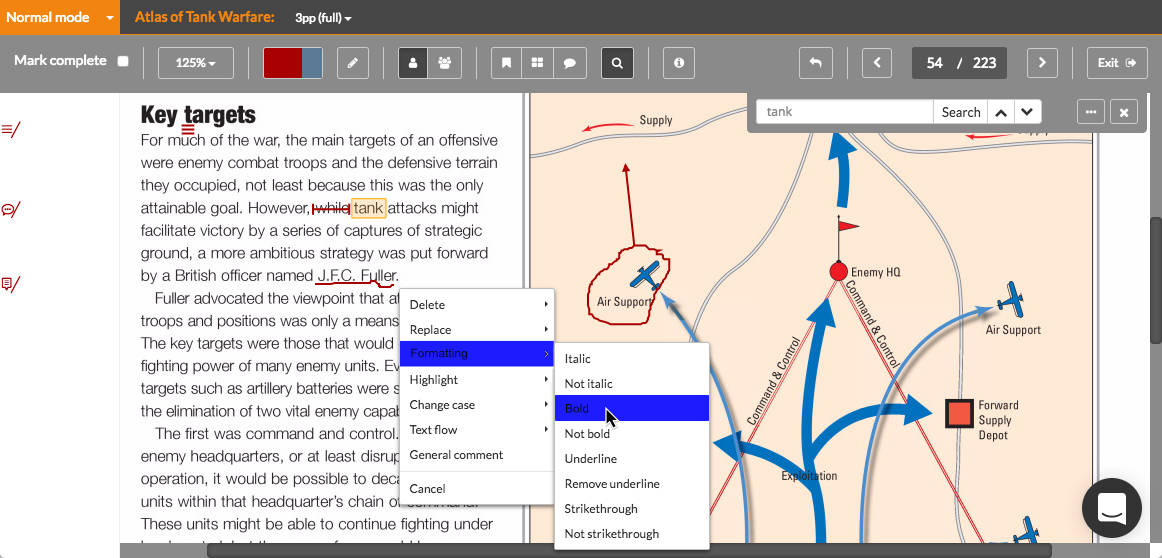
Futureproofs lets you mark up the page just by drawing on it
MasterPlan is a planning, tracking and commenting system for your entire publishing team. Multiple projects can be planned out and their progress viewed in the browser. Changes made in InDesign are instantly pushed to an online overview. Clicking on a thumbnail opens spreads in a retina quality preview where annotations can be drawn and comments added. Back in InDesign these comments are pulled down onto the InDesign page.

MasterPlan integrates with InDesign to share an overview of entire illustrated publications
Communication
Rather than using unwieldly email threads, those working in publishing teams can benefit from using messaging and chat. Slack, HipChat and Skype chat are all ways to communicate quickly and to keep everyone in touch about day to day minutiae. Also, Masterplan connects with Slack to let colleagues know whenever InDesign pages are changed or comments are added.
Messaging apps build up a well presented project specific shared history that can be easily filtered and searched. You can direct questions at certain people and mark important info for later reference using @ and # tags when necessary and all in a more immediate way that is ideal for team communication.
It is helpful to have a way to be able to dip out and back in to threads of product info without having to hunt through a mixture of other emails.

Slack gets team communications neatly under control
Sometimes a quick live screen share can really help with describing or resolving a particular point. Google Hangouts, Skype and Zoom all offer free ways to do this.
Commenting and approval
Towards the end of the design and editorial stages there are several options for sharing proofs, adding comments and receiving approval. Also, people outside of the design teams may well need to sign off on a project too.
Although Futureproofs and MasterPlan offer commenting and approval tailored to fit into the workflow of book publishers, if you would prefer a more simple online proof approval on a file by file basis then other tools such as ProofHQ, GoProof and PageProof are all available.
Of these PageProof stands out as a well thought-out option which also handles setting up of approval chains. These mean the next person who needs to approve a piece gets notified at the right time. It integrates with Adobe InDesign, InCopy, Photoshop, and Illustrator and even allows commenting on video and audio files. PageProof is also fully encrypted so this might be an option if ‘for your eyes only’ security is important.
Outputting for production
GreenLight is a simple system that ensures that your house style and production rules are applied to all InDesign files in your workflow. Instantly updated checklists of rules and presets are shared with all remote workers and if a problem is found then the area of InDesign page is highlighted and online help pages show how to amend them. When files are ready, GreenLight can also be used to output approved final PDFs and prepare final files.
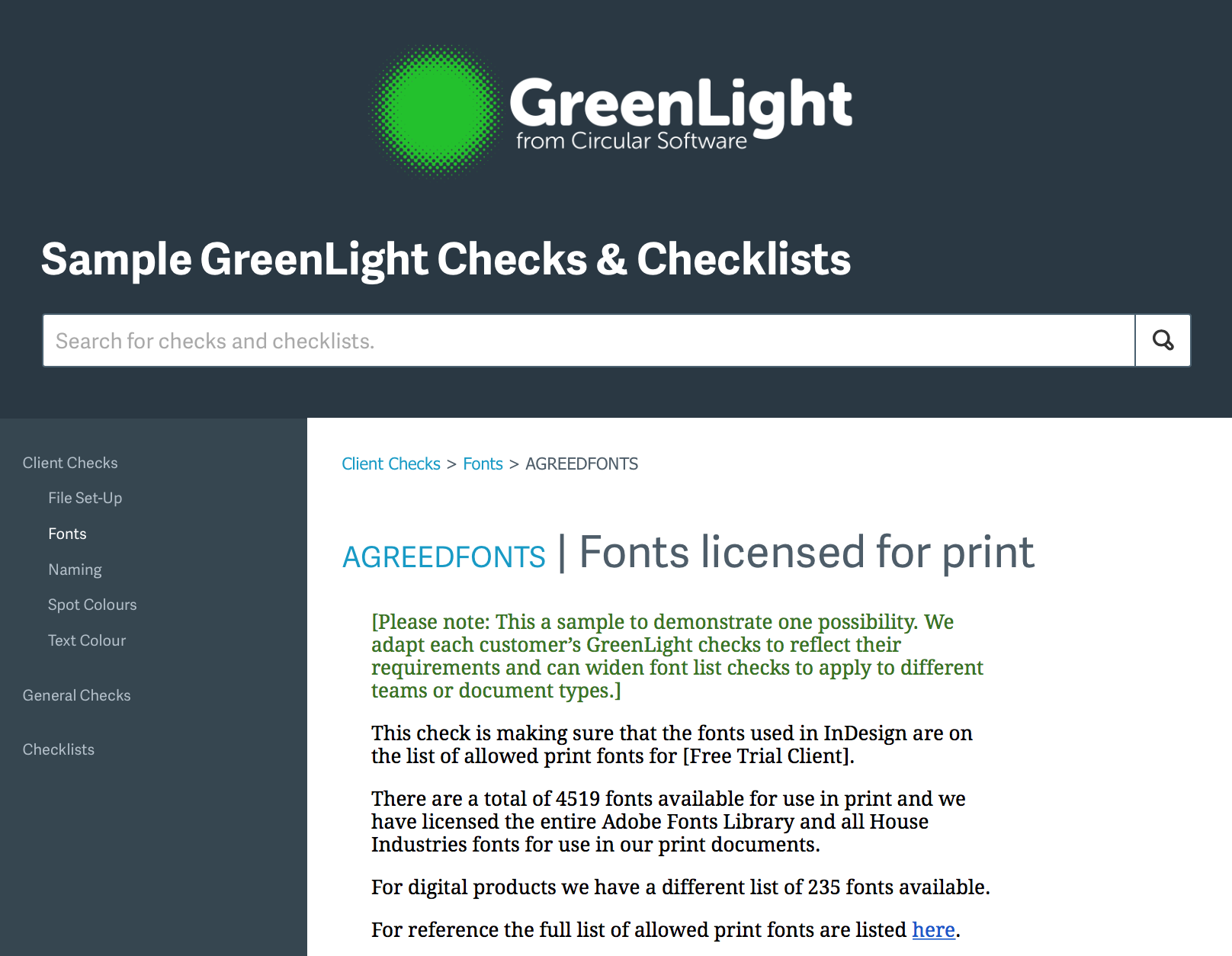
GreenLight makes sure your house styles and production rules are followed
So, these days, there are real alternatives available to the fiddly and time consuming practice of sending around PDFs, long confusing email trails of feedback and scribbled on print outs.
When making your choice, think about the type and length of publications you produce, the number of people within your creative teams, the amount and order of final approvals required and who is to make the final files for production.
MasterPlan and GreenLight are my company’s tools. I’ve tried to be impartial and fair in my recommendations of these and others.
I hope you find this article useful, if you have any other favorites then please let me know in the comments below.
Thanks,
Ken Jones
This article was last modified on July 25, 2019
This article was first published on January 10, 2017
Commenting is easier and faster when you're logged in!

Recommended for you

Yes, You Canva (Thrive in the Era of DIY Design)
A roadmap to success for collaborating with Canva clients

Share My Screen missing in CS6
The File > Share My Screen option is missing in action in InDesign CS6. Here'...
10 Collaboration Tools for Marketing and Design Teams
The right stack of tools can supercharge your design team’s productivity.