



No one is a bigger fan of InDesign’s Quick Apply feature than I am. I use it almost every day and wish that it worked in every app in the Creative Cloud. Psst! Anyone at Adobe listening? Please put Quick Apply in every app. Thank you.
Anyway, as I was saying, if there were a Quick Apply fan club, I’d be the President. But even I get a little frustrated with it from time to time. Occasionally it crashes InDesign (the moment you see a spinning cursor, reach for a sip of your nearest beverage because you know the crash is coming).
But even more annoying is the fact that it seemingly doesn’t always remember the last thing you applied. That’s supposed to be a feature, one of the things that makes Quick Apply so quick. If you apply a paragraph style like BodyText with Quick Apply, the next time you press Command+Return/Ctrl+Enter, BodyText is supposed to be already selected in the panel, so you can just hit Enter and instantly apply BodyText again. Only sometimes it isn’t highlighted in the panel. Here’s why:
Depending on how you name your styles, typing something like “bod” can highlight a style called “BodyFirst”.
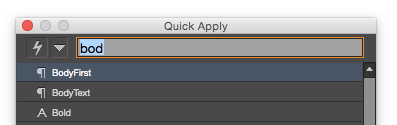
When this happens you either have to keep typing to spell out the name and get past BodyFirst in the list…
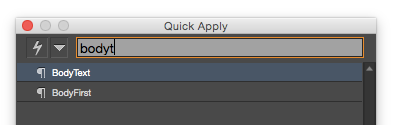
or you might be temped to save a few keystrokes and tap the down arrow key once to select BodyText.
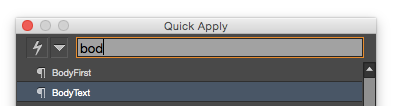
Ah, but there’s the rub. Quick Apply only remembers items you select by typing their names. It won’t remember an item you select with arrow keys, or (gasp) clicking with your mouse (which shouldn’t even be allowed anyway).
So I guess the moral of the story is a) Even our most beloved tools have their quirks, and b) Always name styles that you want to apply with Quick Apply so you can easily select them by typing their names. Or if you’re not in charge of style naming, try to find a unique combination of letters in a style to apply it.
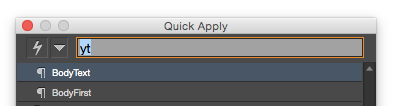
Using your arrow keys in Quick Apply will give it a quick case of amnesia.
This article was last modified on July 25, 2019
This article was first published on November 3, 2014
Commenting is easier and faster when you're logged in!

Recommended for you
Do-It-Yourself Glitch Art
Here’s something perfect for a Friday, or any day when productivity isn...

Mystery of the Perplexing Preview Contest Answer and Winner!
It’s time to reveal the solution—and the winner—for this month’s InD...
Make a Quick Bar Chart (or an amazing geometric shape) with Transform Sequence
I love it when InDesign does stuff for me? not necessarily when it tries to...