



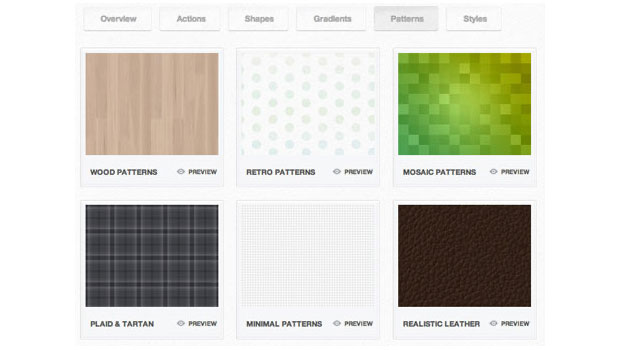
Photoshop has been around for more than twenty years, and while each release brings powerful new features, the application never gets a complete overhaul. There are some things lurking inside that slick, dark CS6 interface that seem like they haven’t been updated since the first Clinton administration. In particular, consider some of the graphic presets, like the default patterns:

Had much use for the Bubble or Tie-Dye fills recently?
Likewise, the default gradients, graphic styles, and shapes have grown a bit long in the tooth.


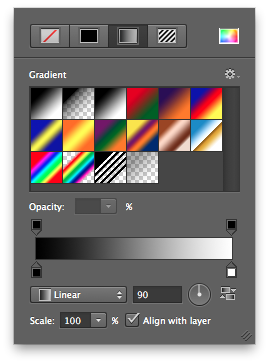
Seeing these dusty defaults as an obvious opportunity, two companies that specialize in providing graphic design resources, MediaLoot and WeGraphics, have teamed up to create “a complete set of modern, graphic presets for Adobe Photoshop.”
The result of their efforts is a $39 package called PsDefaults. It contains 1935 actions, brushes, shapes, gradients, patterns, and styles that can be used with Photoshop CS2 and newer. There is also a free preview set of resources, called the mini-kit that you can download and try out for free.
Here’s the full list of resources in PsDefaults:
- Actions (6 sets, 110 items)
- Brushes (25 sets, 622 items)
- Shapes (6 sets, 355 items)
- Gradients (8 sets, 230 items)
- Patterns (14 sets, 170 items)
- Styles (7 sets, 148 items)


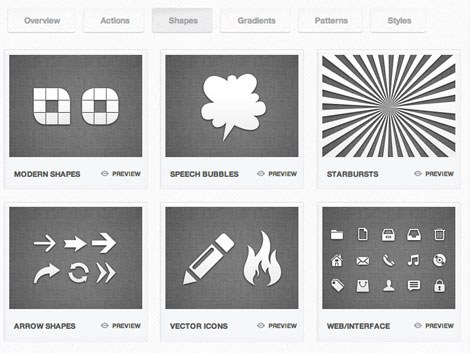

There certainly seems to be an appetite for updated Photoshop presets, as evidenced by the fact that the development of PsDefaults was crowdfunded, being the result of an extremely successful Kickstarter campaign that netted over $23,000.
This article was last modified on January 8, 2023
This article was first published on August 12, 2012
Commenting is easier and faster when you're logged in!

Recommended for you
How to Turn a Photo into Graffiti in Photoshop
Create a spray-painted masterpiece in Photoshop with Steve Caplin.

Using Photoshop’s Generative Fill to Remove Objects
Learn how to simply remove items from an image in Photoshop, without extra conte...

Use Bridge to Find and View All Linked Assets in an InDesign File
Quickly find and collect every linked asset in your InDesign project using this...