




If you use InDesign on a Mac, you may wish you had the ability to use the Finder’s QuickLook feature to preview your INDD files. By default, QuickLook will just show the generic InDesign document icon. But there are a few third-party add-ons that give you the ability to see real InDesign page previews with QuickLook. Among them are ID Util by Markzware, and Art View by Code Line. And now there’s another choice, inddPreview by Jennifer Hofer.
inddPreview lets you see page previews and copy them to your clipboard to use elsewhere.
So, in the Finder, you can press the spacebar and see this:
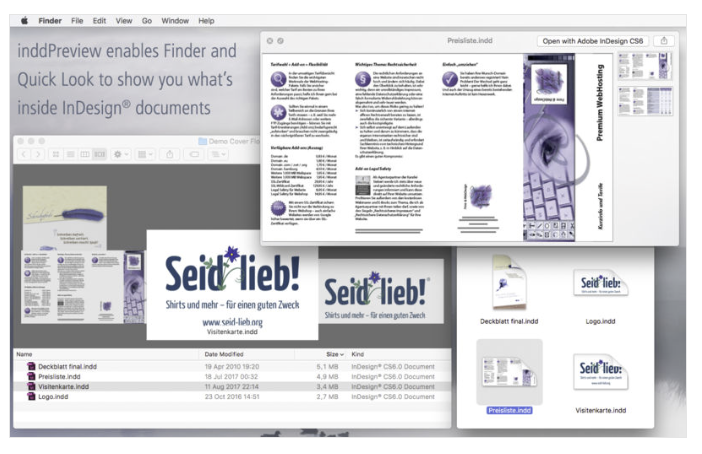
Instead of this:

To get the most out of inddPreview, or the other add-ons, you can set the quality of the preview in the File Handling tab of the Preferences dialog box. In the section about Saving InDesign Files you can choose the size of the preview and how many pages. For best results set the Preview Size to the maximum, 1024 x 1024. Your document size might slightly grow but that’s a fair trade off for getting a preview of what’s inside.

This article was last modified on July 25, 2019
This article was first published on August 30, 2017
Commenting is easier and faster when you're logged in!

Recommended for you

Script of the Month: What the GREP?
This month’s script can help you understand and troubleshoot GREP expressions.
IndexMatic<sup>3</sup> Review
The most powerful indexing solution for InDesign just got even better.
Calendar Wizard: The Best Way to Make Calendars in InDesign
This must-have script for InDesign makes calendar creation a breeze.