



Each month Design Tools Monthly reviews some of the best plug-ins and XTensions on the market. Most of the mentioned products can be purchased through The PowerXChange.
- Instant Trees
Digital Element’s Verdant ($199) is a plug-in for Photoshop that generates realistic shrubs and trees within your existing images. It can create them singly or as many as 100, in 35 varieties from palms to pines, following built-in patterns or one of your own. Each plant is infinitely customizable in age, size, branch angle, density, greenness and more. You can assign light sources in any color to match your original image. It needs at least a 1GHz G4 processor and 1GB of RAM.
(Originally appeared in Macworld 11/03, pg.78)
- Instant Skies & Water
Digital Element’s Aurora 2 ($179) is a plug-in for Photoshop that generates dramatic, true-to-life skies and water in your existing image. The interface is straightforward, but there are so many options you may want to use the handy Variator, which displays eight variations of your current settings, then lets you click on one of them to create eight more variations based on that one. For extra realism, it can use your foreground layers to create reflections and shadows in the water: you place your existing objects on separate layers, then tell Aurora the distance of each layer from your virtual camera, and it resizes and illuminates the items appropriately. You can control the horizon, cloud height, water color, and much more. Really fun and highly recommended.
(Originally appeared in Macworld 11/03, pg.78)
- Instant Color & Light Fix
Kodak’s Digital ROC and Digital SHO ($50 each) are plug-ins for Photoshop that automatically restore color and light balance to images. Digital ROC restores and balances color, and is great for old, faded photos or photos taken under fluorescent or tungsten lighting conditions. Digital SHO optimizes contrast and exposure and brings out detail in shadow areas, significantly improving photos suffering from poor flash or backlighting. Digital SHO also has a Professional version ($100) that gives much more control and larger previews. The plug-ins were developed by Applied Science Fiction, famous for its “Digital ICE” technology used by scanners to remove dust, grain, cracks, scratches and wrinkles while scanning.Kodak-ASF- Export Power for QuarkXPress
Badia’s Exportools XT ($80) is an XTension for QuarkXPress 5 or 6 that lets you export your document pages in many ways, including: EPS, PostScript, Screen Picture, text, and HTML. Each format has many options, notably: EPS and Screen Picture can be scaled 10% to 1000%, in B&W, grayscale or color; Text can be exported using any filter in QuarkXPress (XPress Tags, MS Word, etc.), and you can choose the order that text boxes are processed on a page. Documents can be exported as separate pages. Exportools XT can also automatically send exported files to other applications for processing, such as sending PostScript to Distiller to make a PDF, or sending an EPS to Photoshop to rasterize at any size and resolution.
- Export Power for QuarkXPress
- Drag Pictures Into QuarkXPress
Gluon’s DragIn ($59) is an XTension for QuarkXPress 4, 5 or 6 that does two things: it lets you drag picture files from the Desktop onto a QuarkXPress document page, and it can automatically create a QuarkXPress catalog of pictures from multiple picture files. If you drag one picture file from your desktop onto a QuarkXPress document page, it creates a picture box and fills it with your picture. If you drag several picture files onto the document page, it creates as many boxes and pages as necessary to accommodate the pictures. You have complete control over box size, and whether it optionally labels each text box with the file name, size, resolution, creator and type. In addition, you can drag a picture from a Web page onto a QuarkXPress document page, and it downloads the picture to the folder containing the document, then imports the picture. - Gluon
- Open QuarkXPress 6 Files in QuarkXPress 4
Update: As reported previously, QuarkXPress 6 can only save downward to version 5. But what if you’re using QuarkXPress 4? The solution we proposed using Markzware MarkzTools (see below) remains valid.We have been able to confirm, however, that Markzware is not working on a version for QuarkXPress 6 to let you save down to version 4.Markzware’s MarkzTools III ($199) is an XTension for QuarkXPress 4 that lets it open documents that were saved in QuarkXPress 5 format. That means you can save a QuarkXPress 6 file as a QuarkXPress 5 file and open it in QuarkXPress 4 with MarkzTools. MarkzTools also has other features, such as warning you when you’re about to save a document created by a lower version into a higher version — the XTension works in QuarkXPress 5 as well as 4. It can check documents as they are saved, to be sure they aren’t corrupted, and salvage text or graphics from corrupted documents. It can save files on the local Mac before saving them on a networked server, add the XPress version number to the document’s icon and Comments field, and also display it in the title bar of an open document.This article courtesy of and copyrighted by Design Tools Monthly. For a free sample of the printed newsletter, email in**@**********ls.com.
This article was last modified on December 14, 2022
This article was first published on December 3, 2003
Commenting is easier and faster when you're logged in!

Recommended for you

Create a Searchlight in Photoshop
Step 1 Begin with a new document. You can either use an existing photo, or creat...
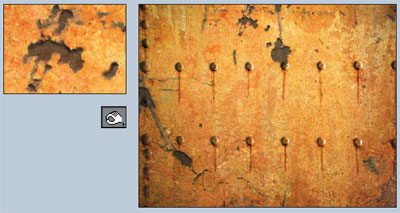
Photoshop How-To: Aging Metal Textures
If, like me, you like the patina of aged, rusty metal, then this Photoshop trick...

CreativePro Tip of the Week: Using the Navigator panel in Photoshop
This CreativePro Tip of the Week for Using the Navigator panel in Photoshop was...