


Photoshop Template: Rubber Stamp
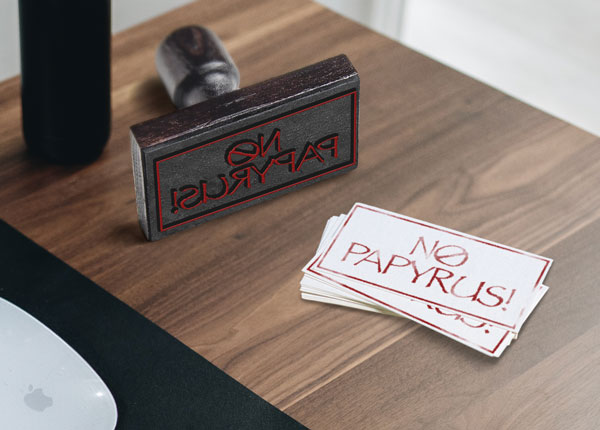
Use this customizable Photoshop template to put your own message on a rubber stamp.

This Photoshop template can be used to put your message on a rubber stamp.

To use the template, double-click on the Smart Object thumbnail to open the embedded content in a separate window.
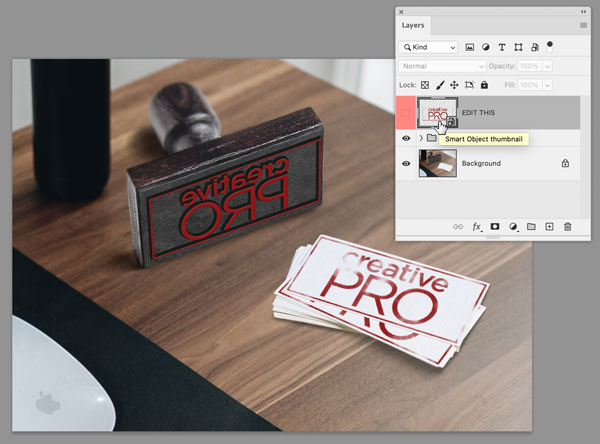
Replace the CreativePro logo with your own content.
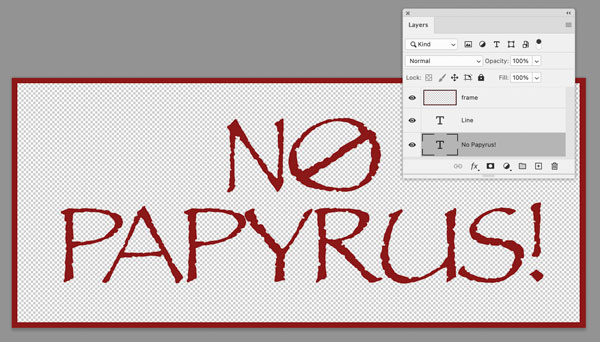
Save and close that file, and when you return to the template, the text will be updated.
Commenting is easier and faster when you're logged in!

Recommended for you
Illustrator Downloadable: Tropical Shadow Overlay Kit
Add some tropical color to your next design with these symbols, swatches, and gr...

InDesign Template: Designer Portfolio
Includes the template in INDD and IDML formats, in both letter and A4 sizes, plu...

InDesign Template: Magazine Feature Article
Use this template to create a beautiful magazine feature article suitable for a...