




This tutorial is courtesy of the Russell Brown Show.
When masking gets tough, sometimes just covering up the problem is the only solution. Photographer Scott Copeland presented me with a wedding photo that was perfect — except for the beer bottle and speaker interrupting the mood. The healing brush worked on the beer bottle, but the speaker was a much bigger challenge. The healing brushes couldn’t handle it, I couldn’t mask it out, and even Photoshop CS5’s amazing new content-aware fill feature didn’t solve the problem.

But I eventually figured out the answer, and in this tutorial, I’ll show you how I came up with this final image:
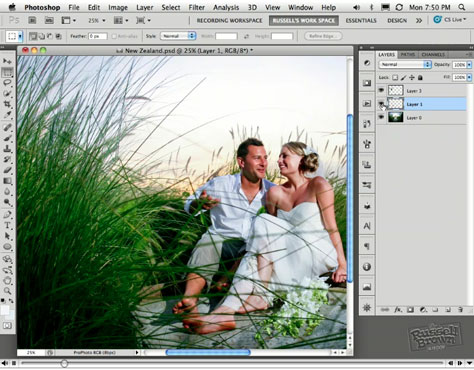
Click this link to view the tutorial video on a MAC or PC.
Click this link to view the tutorial video on an iPhone or iPad.
This article was last modified on January 6, 2023
This article was first published on December 13, 2010
Commenting is easier and faster when you're logged in!

Recommended for you

CMYK vs. RGB
Excerpted from Real World Print Production with Adobe Creative Cloud by Claudia...

How to Create a Cinemagraph in Photoshop
Learn how easy it is to make a cinemagraph, where a portion of a still image is...

Heavy Metal Madness: A Woman's Work is Never Done
A few months ago at a rare family get together, when it came time for clearing t...