





To buy this book click here.
You need a killer Photoshop technique that would be perfect for your current project. But how do you find it? Inside Photoshop Studio Skills: For Photoshop 7 and Photoshop CS is a collection of all the very best Photoshop tips and techniques from the acclaimed Studio Skills series of Design Graphics Magazine. The techniques are arranged by topic so they’re easy to find.
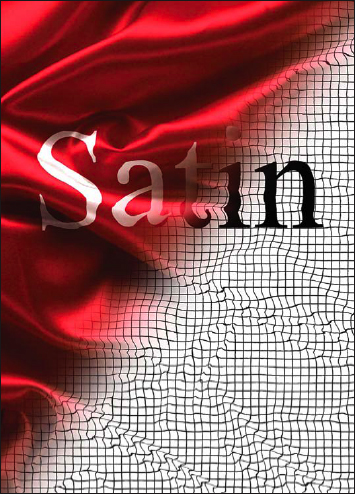
In this excerpt from “Photoshop Studio Skills: For Photoshop 7 and Photoshop CS,” you learn how to make beautiful folding text using the Displace Filter and the “Blend If” function in Layer Styles.
We’ve posted this excerpt as a PDF file. All you do is click the link “Distorting Text” to open the PDF file in your Web browser. You can also download the PDF to your machine for later viewing.
To open the PDF, you’ll need a full version of Adobe Acrobat (5 or higher) or the Adobe Reader, which you can download here:
 .
.
To learn how to configure your browser for viewing PDF files, see the Adobe Reader tech support page.
Excerpted from “Photoshop Studio Skills: For Photoshop 7 and Photoshop CS” by Design Graphics. Copyright © 2004-2005 Wiley Publishing. All rights reserved. Reproduced here by permission of the publisher.
This article was last modified on July 11, 2023
This article was first published on February 18, 2005
Commenting is easier and faster when you're logged in!

Recommended for you

Using Photoshop’s Generative Fill to Remove Objects
Learn how to simply remove items from an image in Photoshop, without extra conte...

The Power of the Gradient Tools in Lightroom
Learn how to use gradients in Lightroom to add drama to a flat sky or brighten s...

Creating a Blend Mode Test Layer in Photoshop
Blending Modes use a top layer to change the appearance of the layer, or layers...