




One problem with an InDesign table is that if its contents are linked to the original Excel file, any formatting you’ve added in InDesign disappears when someone updates the linked spreadsheet. You can either have sticky formatting or dynamic contents, not both. And don’t expect the numeric information inside a table (linked to a spreadsheet or not) to be part of a formula. It isn’t.
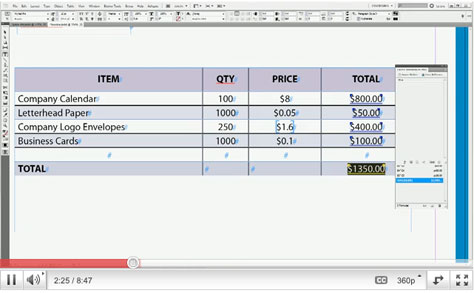
DTP Tools’ Active Tables plug-in addresses both of these problems by eliminating the need to go back to a spreadsheet. For example, Active Tables brings Excel-like formulas to InDesign, so you can add a column of numbers. You can also sort and move columns and rows, even change rows to columns or columns to rows. Active Tables lets you display numbers in several ways, and you can assign paragraph styles to formulas.
Active Tables costs $79 and is compatible with InDesign versions CS3 through CS5.5 on both Mac and Windows. If you’re curious, you can download a 14–days trial version www.dtptools.com/activetables.
Click the screenshot below to watch a video demonstrating some aspects of the plug-in:
This article was last modified on December 14, 2022
This article was first published on May 26, 2011
Commenting is easier and faster when you're logged in!

Recommended for you

CreativePro Tip of the Week: Viewing Illustrator Artwork as Outlines
This CreativePro tip for viewing Illustrator artwork as outlines was sent to Tip...

How to Create Preflight Profiles in InDesign
Learn how to quickly create a set of parameters for your InDesign files to only...

Avoid These 6 Common Type Mistakes
Learn to avoid these six mistakes and you can take your typography skills from O...