



Hey folks, it’s time for another InDesign mystery that you can solve for a chance to win an awesome prize!
Here’s the scenario:
You receive a layout and are tasked with making some edits, which include removing a figure.
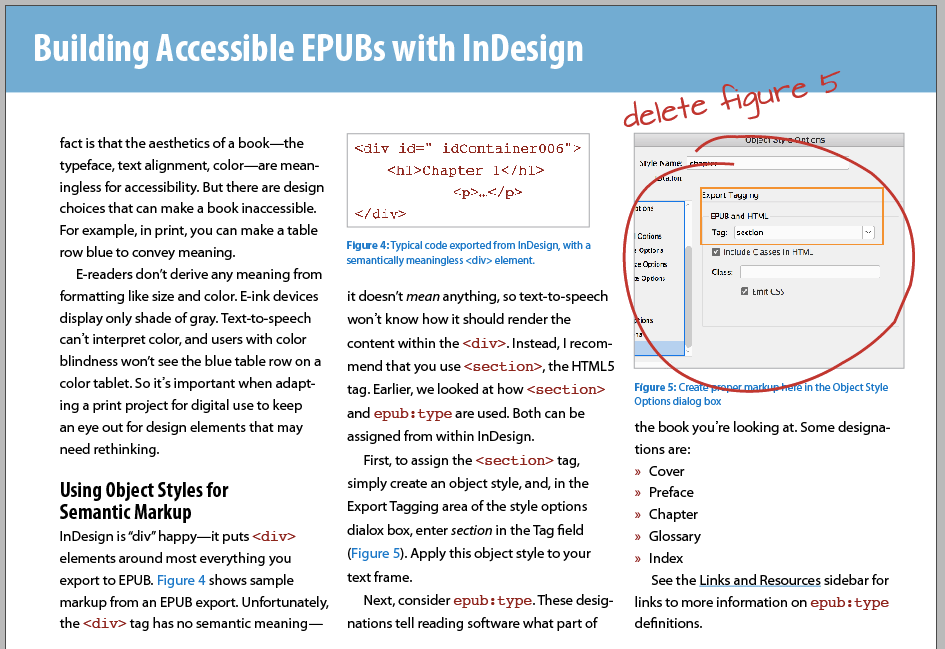
When you delete the figure, the column it was placed in “explodes.”
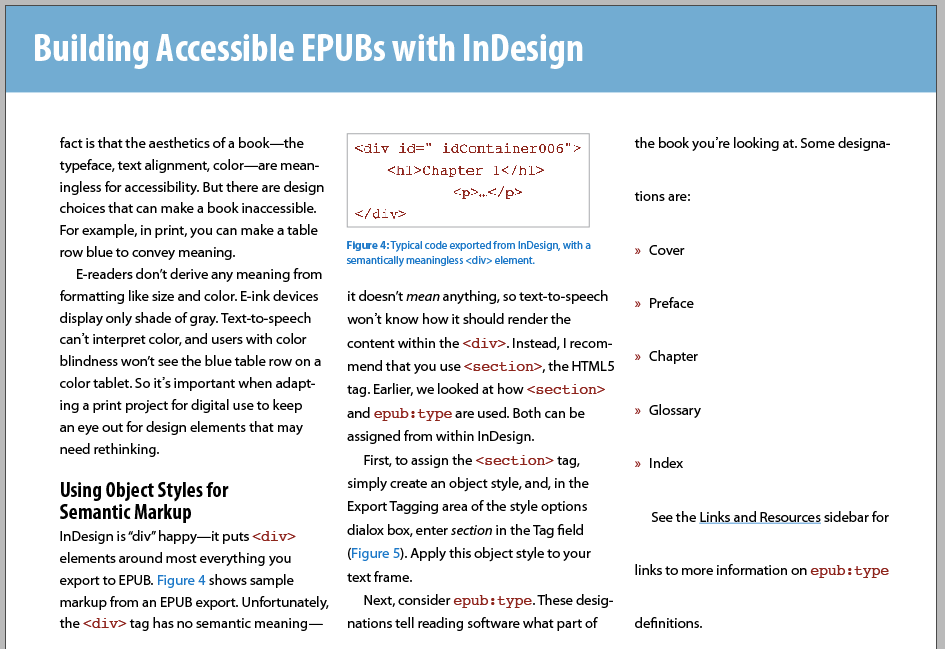
The text no longer aligns to the baseline grid, even though you can see that option is turned on in the Control and Paragraph panels.
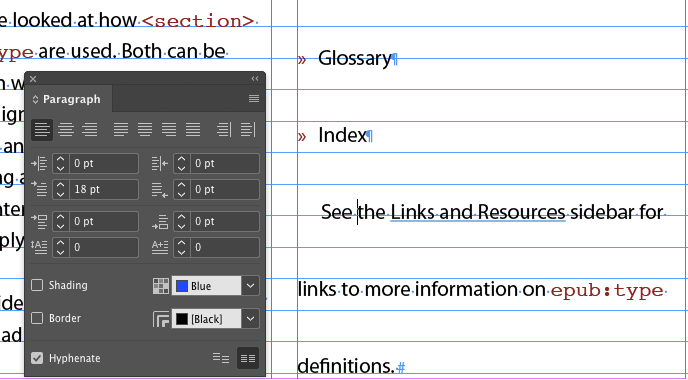
Likewise, values you see in the Control and Character/Paragraph panels, like leading and space before and after, don’t reflect what’s happening on the page.
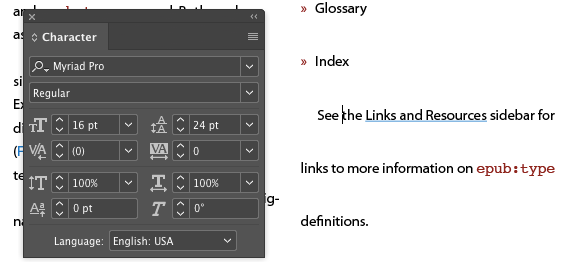
There are no overrides to the text styles, and no other objects on the spread are affecting the text.
What caused the text spacing to change when the figure was removed?
This month’s prize is 3 months access to videos of any 2 days of CreativePro Week 2017.
The winner will be chosen at random from all the correct answers I receive before January 26, 2018
Enter now by emailing your solution to mike at indesignsecrets.com
Note: Comments are closed on this post so no one gives away the answer. Good luck!
This article was last modified on July 25, 2019
This article was first published on January 19, 2018
Commenting is easier and faster when you're logged in!

Recommended for you

The Case of the Jaggy Image Contest Answer and Winner
The solution to our latest InDesign mystery revealed.
New Contest! Mystery of the Vanishing Text
Solve this InDesign mystery for a chance at winning a great prize.
New Contest! The Case of the Text on Top of the Frame
Solve this InDesign mystery for a chance at winning a great prize.