



This InDesign tip on how to tidy up your tables was sent to Tip of the Week email subscribers on October 5, 2017.

Sign up now and every week you’ll get a new tip, keyboard shortcut, and roundups of new articles, plus exclusive deals sent right to your Inbox!
Just scroll down to the bottom of this page, enter your email address, and click Go! We’ll take care of the rest. Now, on with the tip!
Need to keep some rows of a table together on a page?
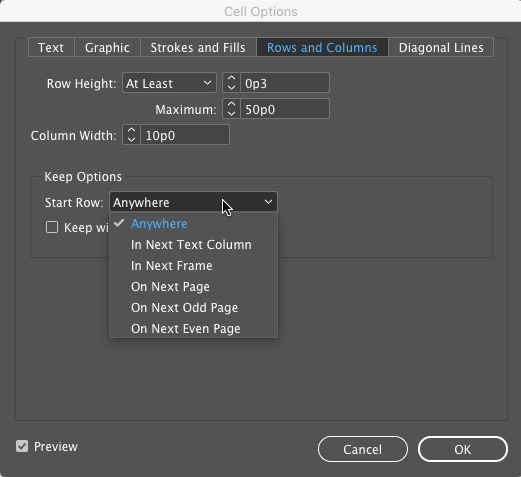
Here’s how: Select the rows with the Type tool, choose Table > Cell Options > Rows and Columns, then enable Keep with Next Row. Unfortunately, there’s no option to make this happen automatically with a table style or cell style.

Or, if you want to force rows to start in the next column, frame, or page, you can do that too, with the Keep Options in the Cell Options dialog box.
This article was last modified on July 20, 2021
This article was first published on October 10, 2017
Commenting is easier and faster when you're logged in!

Recommended for you

Typing Tab in a Table Cell
Need to type a tab inside a table cell? Here's the tip you were looking for!
The scope of InDesign styles
Having trouble making sense of how Paragraph, Character, Object, Table and Cell...

Tip of the Week: How to Find Tables With Find/Change
How to use Unicode to find tables in InDesign with Find/Change.