



Fonts. Can’t live with ’em, can’t live without ’em. Sometimes you can’t get ’em to load properly in InDesign. And sometimes you might’ve wished you could have some fonts available to a specific document (or to InDesign in general) and not activate them on your computer.
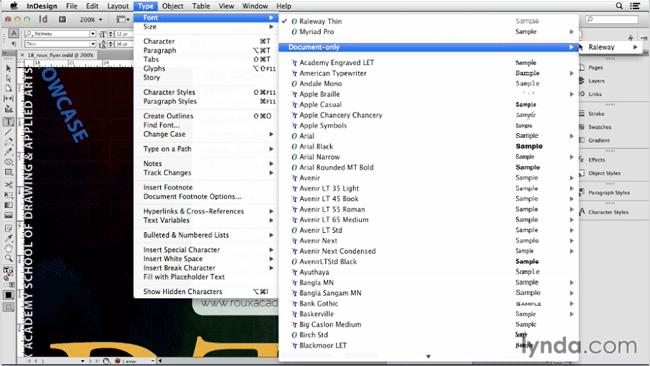
And indeed you can make fonts available only in InDesign or in a specific document, by using a pair of special folders, as David Blatner shows in the latest InDesign Secrets video at lynda.com.
In the video, David demonstrates the use of a Document Fonts folder and the Fonts folder inside InDesign’s application folder. These two “magical” folders will give you more control over font activation, and using them is a snap once you know the Secrets.
This article was last modified on March 5, 2025
This article was first published on August 29, 2014
Commenting is easier and faster when you're logged in!

Recommended for you

InDesign How-to Video: Make Curly Quotes
David Blatner shows an easy way to make sure your document’s quotes automaticall...

Fonts For Creating Musical Layouts
Adam Haus surveys the landscape of fonts for musical typesetting.

CreativePro Video: InDesign Styles – Beyond the Basics
In this week’s CreativePro video, Anne-Marie “Her Geekness” Concepcion, co-host...