




We’re happy to announce that InDesign Magazine Issue #117 (January 2019) is now available!
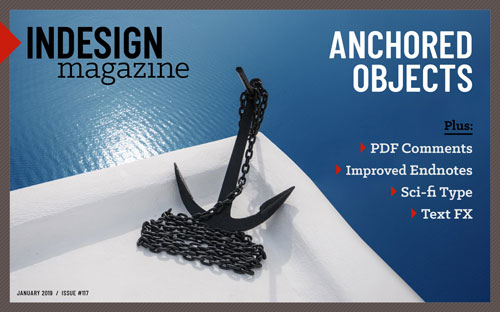
Here’s what the issue includes:
- Anchoring Objects: Laurie Ruhlin shows how to achieve maximum efficiency when you have graphics that need to accompany specific text.
- Designing With Text Reflections and Cast Shadows: Maya P. Lim shows how to add lighting effects to type.
- Importing PDF Comments: Kelly Vaughn tests the strengths and weaknesses of the new PDF commenting features in CC 2019.
- Science Fiction Type: Andrea Leksen and Charles Fadem explore the realm of type that evokes space, technology, aliens, and the future.
- Endnote and Footnote Improvements in InDesign CC 2019: Jamie McKee details some welcome changes in InDesign’s endnote and footnote features.
- Best of the Blog articles from InDesignSecrets
Remember, you can find every issue of InDesign Magazine here, or by clicking Magazine above.
(And remember, Premium Members get this month’s issue plus access to all back issues!)
Enjoy!
This article was last modified on March 16, 2021
This article was first published on January 2, 2019
Commenting is easier and faster when you're logged in!

Recommended for you

InDesign Magazine Issue 126: Charts and Graphs
We’re happy to announce that InDesign Magazine Issue #126 (October 2019) is...

InDesign Magazine Issue 108: Creating an Interactive Portfolio
Issue 108 of InDesign Magazine include articles on creating interactive portfoli...

Preferences You Must Change in InDesign
Changing InDesign’s defaults is a must for the sake of efficiency and convenienc...