




In the past, we’ve written a lot about the amazing IndyFont by Marc Autret and Jongware, which allows you to create fonts directly in InDesign. It was also reviewed by Scott Citron in issue 55 of InDesign Magazine. In a related project, Marc created an OpenType font out of InDesign’s hidden characters. The font, called InDesign Hidden, makes it possible to use those characters as actual printable glyphs.
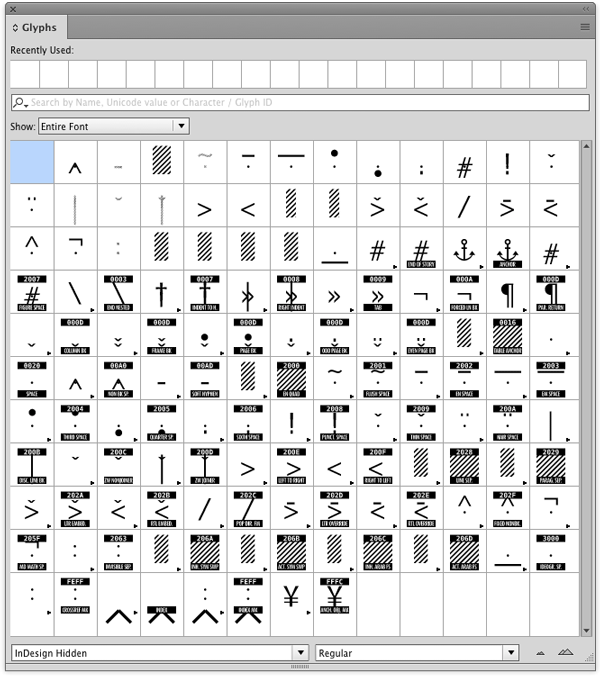
You might find it useful if you create InDesign training materials, as an alternative to the standard method of using screenshots.
The font also comes with a handy PDF character guide.
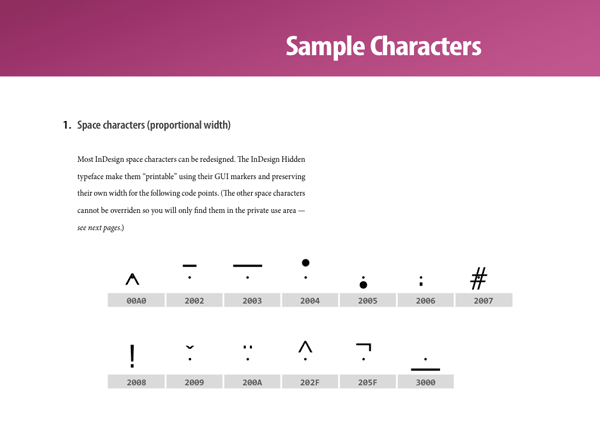
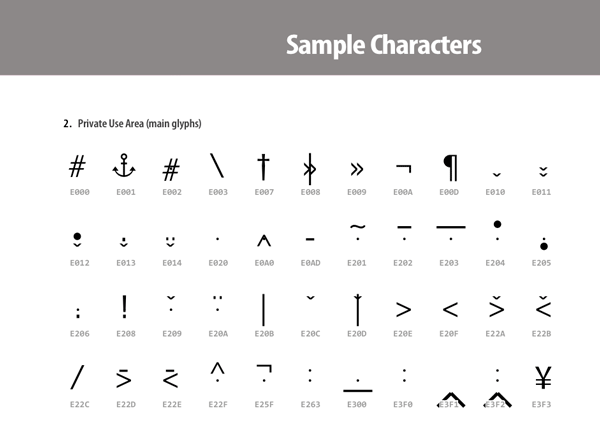
In any case, just installing the InDesign Hidden font on your computer will instantly give you infinite amounts of geek credibility. And it’s free. Thanks, Marc!
This article was last modified on August 8, 2019
This article was first published on October 20, 2016
Commenting is easier and faster when you're logged in!

Recommended for you


Show Document Font Data
From CC 2014, InDesign's 'Find Font' dialog no longer shows the type and status...

Finding, Filtering, and Organizing Fonts in Illustrator
The Illustrator 2026 font browser includes libraries and new options for browsin...