




This tutorial is an installment of The Russell Brown Show.
Delve into the powerful realm of Adobe Camera Raw (which comes with Photoshop) and learn new techniques for enhancing images with the luminosity controls.
Click on “A Luminous Landscape” to begin streaming the 9MB QuickTime Tutorial.
If you don’t have QuickTime installed, you can get it here.
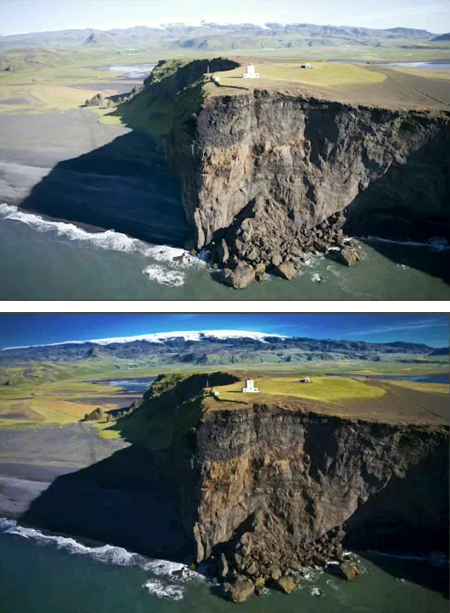
Before Camera Raw (top) and after (bottom).
This article was last modified on January 5, 2023
This article was first published on January 28, 2008
Commenting is easier and faster when you're logged in!

Recommended for you

Placing Items on an Irregular Surface in Photoshop
Placing items on an irregular surface, such as grass or sand, will only look nat...
Top Tips for Illustrator Book Now Available!
Our most popular Illustrator tutorials collected in a convenient PDF book format

Photoshop Tip: Pasting into a Selection in Photoshop
Learn how to create layers with layer masks with Photoshop's Paste Into command.