



David’s post about alternative icons inspired me to re-post a tip that I originally wrote for Publicious a while back. It’s a tip for anyone who has to put together presentations or materials about InDesign (or other software) and wants to have perfect icons for their visuals.
On the Mac, you can go icon mining by right/ctrl-clicking on an application icon and choosing Show Package Contents from the menu. This works for pretty much any application, not just InDesign.

When you do this, the application opens like a folder and you can see all the bits and pieces that make up its interface.
Find a folder called Contents. It shouldn’t be too hard. Open it, then look for another folder called Resources.

Inside Resources you will find all the little picture files and icons that the application uses. For some apps, there will be more than a thousand (I’m looking at you, Microsoft Word). The .icns are the big juicy icon files. InDesign CS4 has 113 of ’em, some of which I’ve never seen in day-to-day usage.

When you find something you like, be sure to COPY it to a new location, otherwise you may find the application gets very upset when it goes looking for a resource that isn’t there. You’ll be in violation of InDesign’s EULA, sirens will go off, and the police will break down your door and force you to trade your copy of InDesign for that Quoin thing David was looking for last month. So copy the icon, OK?
You can’t open .icns files with Photoshop, but Apple’s Preview works like a charm. Open the drawer attached to the right side of the window and you can see all the variants of the icon.

Select the one you want and save it as a PNG. That will preserve any transparency and drop shadows. For example, the letters in the InDesign logo will retain their transparency.
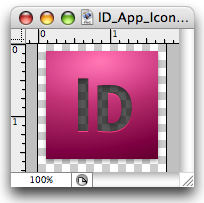
From here, you can save it as a PSD, place it in InDesign, etc.

This article was last modified on December 19, 2021
This article was first published on January 14, 2009
Commenting is easier and faster when you're logged in!

Recommended for you

InDesign CC 2015 Now Available: Shading, Graphic Cells, and More!
Today Adobe is releasing InDesign CC 2015, with several very cool new features...

Thinking about Upgrading to Creative Suite 4? Think Fast.
It doesn’t seem that long ago that Adobe had the most liberal upgrade poli...
Checking for flipped images
Here's a handy script that will alert you to any graphics that have been flipped...