



InDesign’s dark user interface has created a lot of controversy since its appearance in InDesign CC, version 9.0. Some people love it, some people hate it.

At any rate, you can control the brightness of the interface in Preference > Interface:
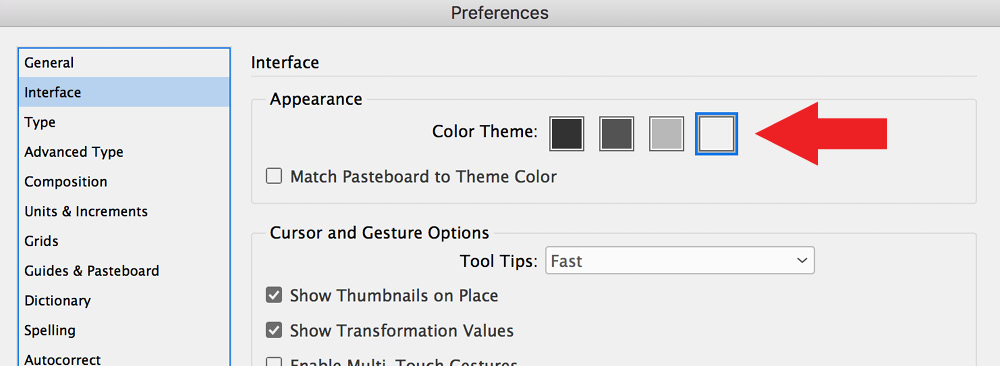
When I was talking to an Adobe engineer one day, he claimed that the dark UI required less power than the light UI. I was skeptical, so I decided to bring this into Gilbert Consulting labs and employ advanced scientific methods to determine if this is true.
I obtained a wattmeter and plugged my external Apple Cinema display into this device.

I was careful to adjust my settings so that the monitor was not set to automatically adjust its brightness based on surrounding light sources. Then, I ran InDesign with the display set to the lightest UI value and measured the power used by the monitor.

Then I switched to the darkest UI and measured the power consumption again.
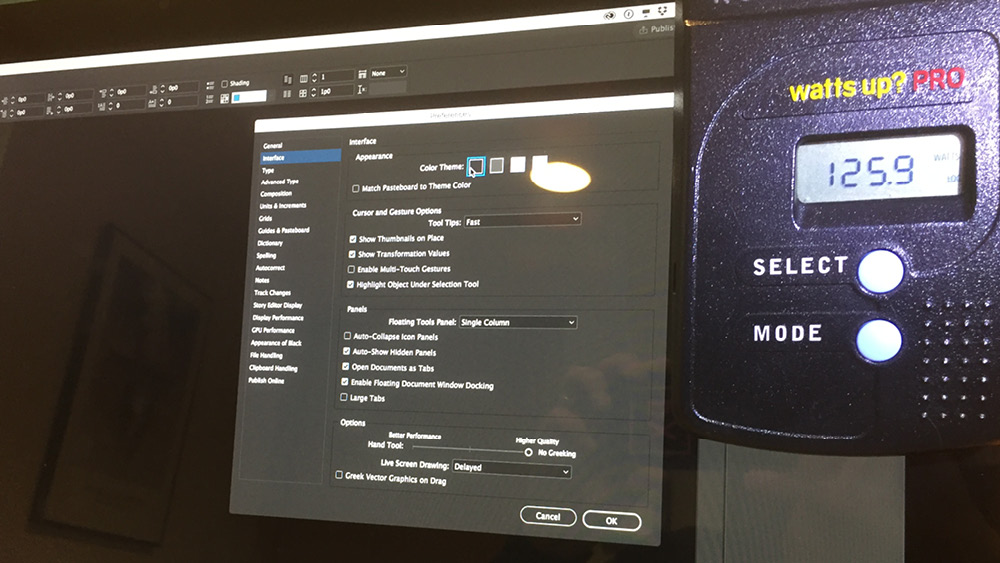
There was a consistent, repeatable, 4 watt difference between the light UI and the dark UI! At the rate I pay for electricity here in the midwest, this could save me a whopping $2.34 / year!

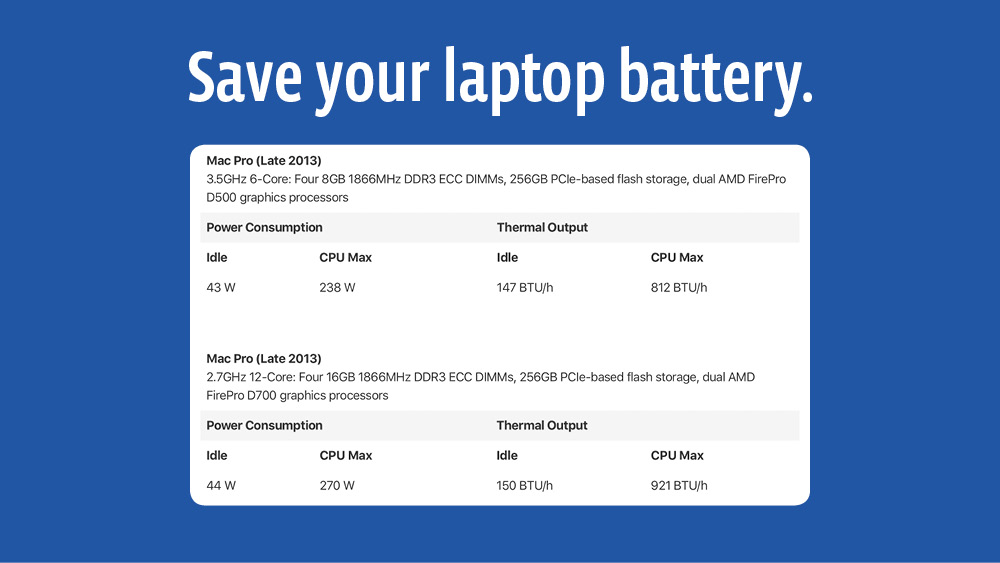
While this isn’t much of a cost savings, it could make a difference in laptop battery life. From my quick research, it appears that most laptops draw somewhere between 40 watts when idle, to 220-300 watts when working hard. It’s hard to know how much of this power consumption is from the laptop screen, but a savings of a few watts could be enough to allow you to eke out a few more minutes of work (or Netflix) on a long flight.

This article was last modified on July 20, 2021
This article was first published on June 26, 2017
Commenting is easier and faster when you're logged in!

Recommended for you

How to Magnify Your Screen Display
Sooner or later, it happens to most of us. No matter how good your eyesight once...
The Mystery of the Missing Menu Items Contest Answer and Winner
Solve this InDesign mystery for a chance at winning a great prize.
Tip of the Week: Spring-Loaded Shortcuts
This little trick lets you switch tools in InDesign without missing a beat.