



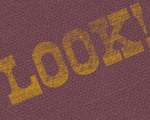
SimplyMpress is software that runs on computers and mobile devices, but the end results look like you cranked them out with your own inky fingers.

Although the mobile version is free, it’s also somewhat limited. I think you’ll have more fun playing with the software on Mac or Windows, which costs just $6.99, so the features I describe below pertain to the Mac/Windows version.
To create letterpress-like imagery in SimplyMpress, you first choose an orientation (vertical or horizontal) and one of 11 sizes. Then you select one of the 30 paper-like backgrounds, import images, and enter text. While you can use your own installed fonts, SimplyMpress also comes with 25 “vintage” typefaces.
Next, you can apply colors, formatting, transparency, textures, and more. When you’re ready to output your design, you can save PNG files at 72, 144, or 228 ppi. ??
If you’re looking for the level of finesse you’d find in, for example, InDesign or Photoshop, you’ll be disappointed. But SimplyMpress is good at what it does, and you may find that the program’s capabilities—which are, after all, much more flexible than real letterpress—actually free you to create something great.
But if you’re aching for a more authentic experience that’s still in the digital realm, try the LetterMpress app from the same company.
This article was last modified on July 1, 2013
This article was first published on July 1, 2013
Commenting is easier and faster when you're logged in!

Recommended for you

Using Photoshop’s Generative Fill to Remove Objects
Learn how to simply remove items from an image in Photoshop, without extra conte...

How to Adjust Colors Using Photoshop’s Contextual Task Bar
Learn how to use the Photoshop Adjust Colors feature to make quick, non-destruct...

How to Turn a Photo into Graffiti in Photoshop
Create a spray-painted masterpiece in Photoshop with Steve Caplin.