



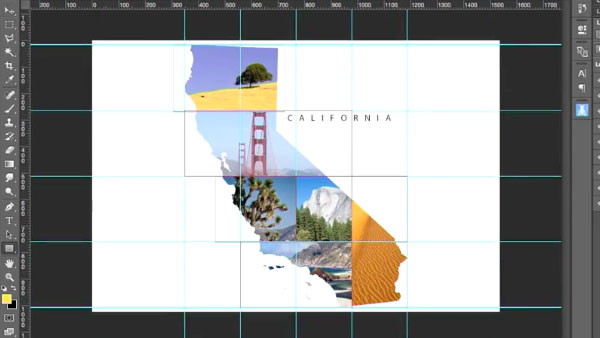
There’s more to Photoshop mastery than just pushing pixels. You also have to be comfortable working with vector paths and shapes. And the ability to work with shapes opens up all kinds of cool design possibilities. In his Lynda.com video course, Photoshop for Designers: Working with Shapes, Nigel French shows how Photoshop shapes are the “secret weapons” of great designers.
Nigel also demonstrates working with the shape tools, and live shape properties, converting shapes to paths (and vice versa), as well as using blend modes, layer effects, and filters with shapes—and a lot more!
In the free movie below, Nigel shows how to work with the Pen tool to create and edit paths in Photoshop. Check it out!
Photoshop for Designers: Working with Shapes
Pen paths
For Lynda.com members, if you are currently signed in to your account, you can also check out these videos from the series.
Not a Lynda.com member?
Get 10 days of free unlimited access to Lynda.com.
Live Shape properties
Editing custom shapes
Type and shape layers
This article was last modified on October 14, 2016
This article was first published on October 14, 2016
Commenting is easier and faster when you're logged in!

Recommended for you

Mastering Photoshop Smart Objects: Blending Layers Without Masking
When it comes to mastering the art of blending layers (or any of Photoshop...

Adobe Introduces the Photoshop Photography Program
In a move that acknowledged the need for a cheaper, focused alternative to its e...
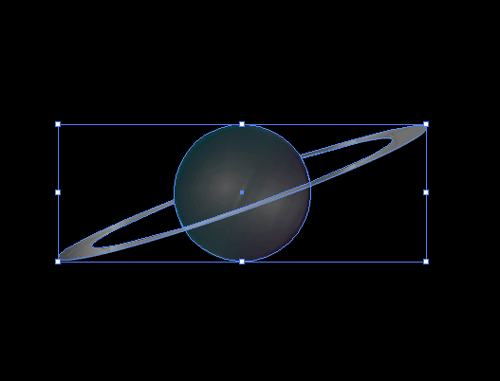
CreativePro Tip of the Week: Resetting the Bounding Box of Objects in Illustrator
This CreativePro Tip of the Week on resetting the bounding box in Illustrator wa...