



I got a question yesterday asking how to save snippets from InDesign CS4 so they could be used in CS3.
After I thought about it for a minute, I felt like a mechanic preparing to tell the owner of a car that he was going to need a new transmission when he was hoping for just an oil change.
The short answer is that CS4 snippets are not backward-compatible.
The longer answer is that CS4 snippets are based on an entirely different file format from CS3 snippets. CS4 snippets are based on IDML (InDesign Mark-up Language). Their file extension is IDMS. CS3 snippets are based on INX (InDesign Interchange format). Their file extension is INDS. While both INX and IDML are part of the family of InDesign documents described in XML, they are very distant cousins.
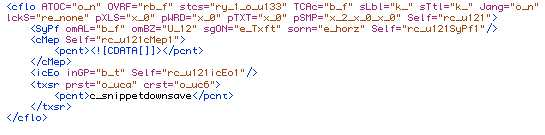
Here’s a little text described in a CS3 snippet.
and the same text in a CS4 snippet.

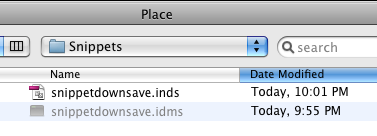
These are two very different ways of telling InDesign to make some text. Even the content itself is treated differently (note the “c_” that got prefixed onto the text in the INX). It’s no wonder CS3 has no clue what to do with an IDMS file. Try to place one, it’s grayed out.
Try to drag and drop one, and CS3 thinks you’re placing a text file.
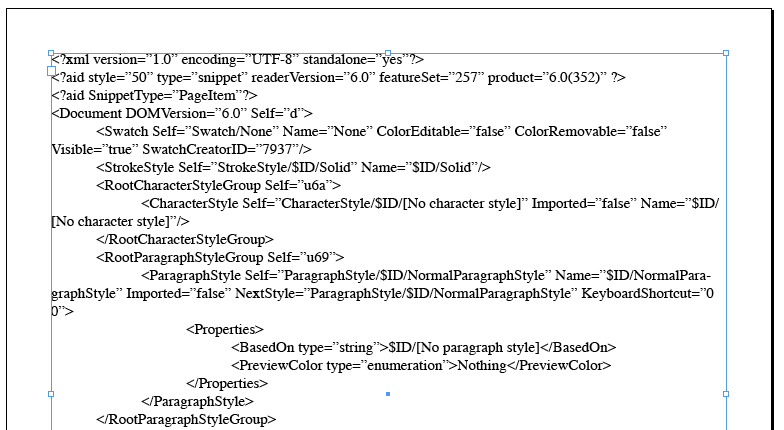
Uh. thanks for trying, CS3. But that’s not what I had in mind.
If I had CS4 snippets that absolutely had to be used in CS3, I would do the following:
1. place all the snippets in a fresh CS4 document
2. export that document to INX
3. open the document in CS3
4. re-export the content as snippets from the new CS3 document
You might even be able to script the process.
It’s not elegant or clever, but it will get the job done.
This article was last modified on December 19, 2021
This article was first published on January 27, 2009
Commenting is easier and faster when you're logged in!

Recommended for you

Copy Vectors from Illustrator to InDesign (or vice versa)
Why copy-and-paste of vector outlines between Illustrator and InDesign sometimes...

Automating Data Handling
InDesign CS2 has a powerful automation capability that very few people use: its...
6 ways to type the Pi symbol in InDesign
My youngest son informed me today that we are 10 days from Pi day (in the US). 3...