



Sometimes we learn things when something goes wrong. I had two fascinating InDesign discoveries today while trying to fix other people’s files. I’ll write one up now and one up as soon as I get a chance.
Someone was trying to figure out what was going wrong with a page element — in this case, an object that was created using Rule Above. I love all the clever ways people use Rule Above (or Rule Below) to create cool things that don’t really look like normal lines. For example, here’s a big red circle that floats up and to the left of a paragraph:
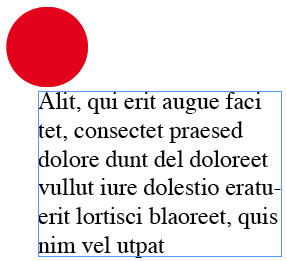
This could have been done with an anchored object, but in this case, it was built with a Rule Above:
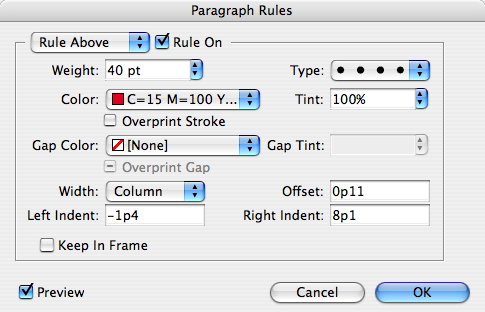
But today, someone was asking me why the Rule Above was narrower than it should be. In fact, it actually disappeared from time to time! It didn’t make sense to me. What on earth was going on here? Then it hit me: There were objects that had text wrap nearby. Those objects didn’t touch the rule; in fact, they hardly touched the text! But the Right Indent for the Rule was affected by them nevertheless.
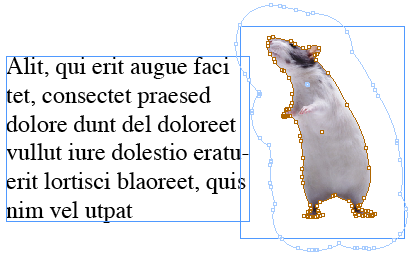
As soon as the text wrap was removed, or Ignore Text Wrap was turned on for the text frame (in Text Frame Options), the Rule Above kicked back in.
For me, it was a good example of the rule: You never know what’s going to affect something on your page… even things that are not seemingly related. Happy troubleshooting!
This article was last modified on December 18, 2021
This article was first published on August 10, 2007
Commenting is easier and faster when you're logged in!

Recommended for you

dot-font: Mr. Jefferson’s Typeface
dot-font was a collection of short articles written by editor and typographer Jo...

This Week in InDesign Articles, Number 103
Whoosh! Here we are in February. PEPCON is coming like an express train (the ear...

Scanning Around With Gene: Give Me Back My Book!
While I’ve always had a pretty big library of books, I’ve never take...