



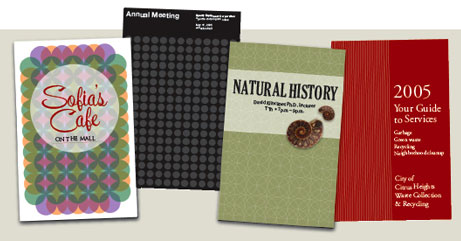

You can subscribe to “Before & After Magazine” in PDF or Print. Click here to learn more.
You’ve probably heard the proverb, “Give a man a fish and you feed him for a day. Teach a man to fish and you feed him for a lifetime.”
We’re not philosophers, but this feature from “Before & After Magazine” has made us believers in that particular proverb. You’ll see how to transform one basic object, such as a circle or a line, into a vast array of patterns you can use for almost any project. In addition to inspiring examples, you’ll find information on the typefaces, colors, and photos used in the projects.
This how-to is formatted for easy onscreen reading. However, if you prefer paper, see pages 13 through 18 of the PDF, which repeat the information in a format suitable for printing.
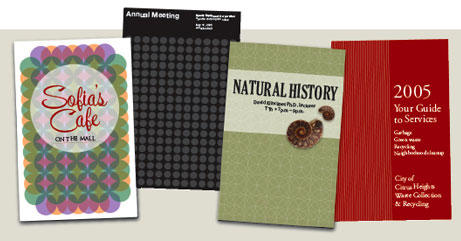
In this feature from “Before & After Magazine,” shows us a step-and-repeat technique to make artistic covers.
We’ve posted this story as a PDF file. All you do is click this link “Easy Cover Patterns” to open the PDF file in your Web browser. You can also download the PDF to your machine for later viewing.
To open the PDF, you’ll need Adobe Acrobat or Adobe Reader. We highly recommend Acrobat Reader 7.0 to view Before & After PDFs. To download Acrobat Reader click here.
To learn how to configure your browser for viewing PDF files, see the Adobe Reader tech support page.
This article was last modified on July 11, 2023
This article was first published on March 4, 2005
Commenting is easier and faster when you're logged in!

Recommended for you
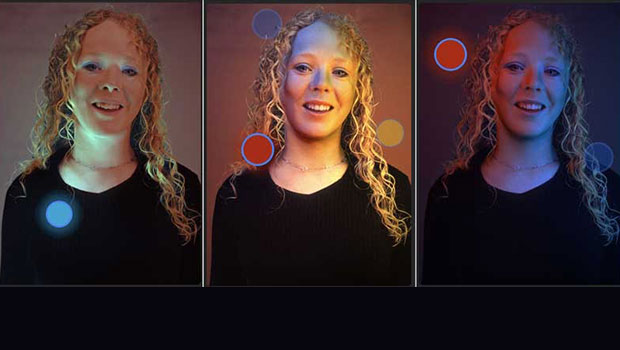
ClipDrop Review
ClipDrop offers a range of high-powered and occasionally unique solutions to eve...
Create Parallax Video Effects in Photoshop with Qlilipn
We’re well used to seeing parallax effects on modern websites, where images scro...

CreativePro Video: Better Auto Color Correction in Photoshop
In this week’s CreativePro video, Jesús Ramirez demos how to get better automati...