



CreativePro Week 2024 is coming to Washington, DC July 8–12. And with over 70 sessions on InDesign, Photoshop, Illustrator, PowerPoint, and more, it’s the best how-to conference on the planet for creative professionals. All of the sessions will be full of valuable info, but to sharpen the focus a bit, here’s my list of five can’t-miss sessions for InDesign users.

David Blatner
10 InDesign Features and 3 Free Add-Ons You Should be Using
David Blatner is basically a walking encyclopedia of InDesign knowledge. You could probably learn InDesign just by following him around at CreativePro Week and taking notes. But that would be weird, so don’t do that. Instead, come to this session where he’ll reach into his seemingly infinite bag of tips and tricks and pull out some gems.

Bart Van de Wiele
InDesign Workflow Tune-up
Have you been producing documents the same way for the last 10 (or more) years? Do you find yourself often sighing that “there must be a better way”? Can’t remember the last time you were excited to start your work day? You may have a serious case of Tired Workflow. Dr. Bart Van de Wiele has the cure: a slew of cutting-edge tips and techniques to save you time and effort without sacrificing quality.
Laurie Ruhlin
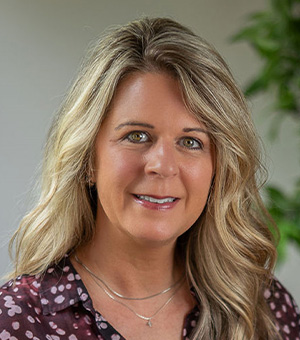
Game-Changing Techniques for Anchored Objects and Object Styles in InDesign
With four great sessions on the schedule, Laurie Ruhlin might be the InDesign MVP of CreativePro Week. I know all of her sessions will be packed with rock-solid advice and power-user tips. But this one in particular excites me because I’ve seen Laurie create magic with anchored objects and object styles. So I can’t wait to see what she’s got up her sleeve this year.

Erica Gamet
GREP: You Know You Need This
Having the ability to use GREP in InDesign takes you to a higher level of power and efficiency. You can do stuff that mere mortals only dream of. But with all its cryptic code expressions GREP can feel like a foreign language. Erica Gamet speaks GREP, fluently. And there’s no one who makes this intimidating topic more accessible and dare I say…fun? Yes, I dare say that.

Nigel French
InDesign—The “Right” Way
There are many reasons why the structure of your InDesign documents matters a lot. It allows you to quickly adapt when the boss or client demands big last-minute changes. It helps collaborators work with your files without screwing things up. And it sets you up for quickly churning out the next version of a project with speed and ease. In this session Nigel French will show you how to make InDesign documents that don’t just look pretty, they actually work well.
InDispensable for InDesigners
Photoshop, Illustrator, and PowerPoint may get more attention in the design world, but InDesign is equally indispensable—and so are the people who use it. It’s a uniquely powerful program that’s both challenging and rewarding to master. And we’re here to help you do just that. These five sessions are just a taste of what’s in store for InDesign users at CreativePro Week 2024. Register now and don’t miss out!
This article was last modified on April 2, 2024
This article was first published on April 1, 2024
Commenting is easier and faster when you're logged in!

Recommended for you

A Different Light: An Introduction to Infrared Photography
Learn how to capture images in a whole new light.

InDesign 101: Saving Your Work
Sandee Cohen covers all the the basics of creating and saving InDesign documents...

Alias Searches for Next Maya Masters
Alias announced today that nominations for its 2005 Maya Masters™ will be...