


CreativePro Magazine Issue 15 Now Available
Issue 15 has articles on PowerPoint, infrared photography, overcoming creative burnout, designing at Disney, FlightCheck, and more!

We’re happy to announce that CreativePro Magazine Issue #15 (January 2023) is now available!
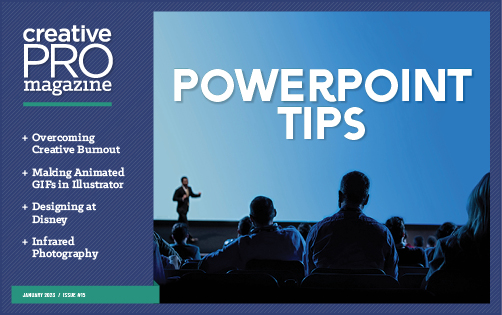
Here’s what the issue includes:
Beyond the Bullet: PowerPoint Tips
Employ these six essential tips to design engaging presentations with any software.
Infrared Photography
Learn how to capture images in a whole new light.
Overcoming Creative Burnout
22 invigorating ideas for taking care of yourself and your creative health
InDesigner: Tamara Khalaf
Learn how one designer brings the Disney archives to life in books.
InReview: FlightCheck 2023
A venerable preflight tool is reborn.
The Better Deck Deck Sample
An exclusive sample from a bountiful set of fresh presentation design ideas
Learn PostScript with Photoshop
Get a taste of how PostScript creates graphics in this fun and geeky tutorial.
Create Animated GIFs in Illustrator
Build animations quickly and intuitively with the help of a new plug-in.
Use Illustrator’s Intertwine Feature
A new command makes it a piece of cake to weave vector objects together.
Based-on Object Styles in InDesign
Learn the subtle way that object styles behave differently from text styles.
dot-font: Tables of Contents
Tips for designing effective and attractive TOC for long documents
Remember, you can find every issue of CreativePro Magazine and InDesign Magazine here, or by clicking Magazine above. Members get this month’s issue plus access to all back issues of CreativePro Magazine and InDesign Magazine! Enjoy!
This article was last modified on January 9, 2023
This article was first published on January 2, 2023
Commenting is easier and faster when you're logged in!

Recommended for you

This Month in InDesign Articles, March 2016
News, tutorials, tips, and more from around the Web for InDesign users.

InDesign How-to Video: Make Text Fit Better Without Tracking
In this week’s InDesignSecrets video, Mike Rankin shows an easy way to fit type...

How to Take Your Presentation From Bland to Grand
Learn how to take a bland slide deck and bring the presentation to life by addin...