



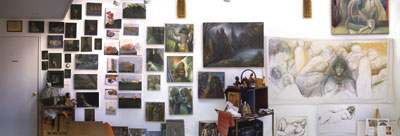
RealViz Stitcher
If you’re augmenting your existing professional panoramic photo studio, then the only one of these options that would make sense for you is Stitcher by RealViz ($499). Stitcher is built for the professional sewing together of images for a wide variety of different applications, from Web animations and QuickTime VR to low and high resolution flat beauty shots (see Figure 2). Stitcher can appeal to such a wide range of users by supplying a variety of different “projections” for rendering your image. Different projections include: Planar (rendering our “dolly” shots); Cubical (as if the panorama was projected onto a cube); Cylindrical (for QuickTime VR movies); Spherical (for those cool 360 degree images in games and on the web where you can see anywhere you look — up, down, side to side, and anywhere in between) — and more. This robust application does have a bit of a rough interface for Mac-o-files, though (for instance, the Zoom is a function, not a tool, making access quite awkward). I saw some impressive demonstrations using Stitcher (in concert with a professionally equipped panoramic studio) in which it not only created Virtual Reality images, but also removed artifacts, yielding fabulous results that didn’t require hours of touchups. This was the only program that lets you to save a work session so you can return later, make any adjustments to your panorama, and then restitch
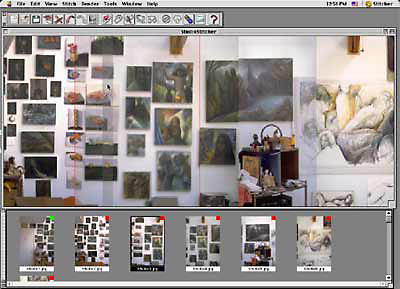
Figure 2: To order your images in Stitcher, drag thumbnails from the lower window to the upper window. You then align them, one on the next, before choosing to render. Only with Stitcher can you save your work session, so you can make further adjustments at another time. Though this is by far the most powerful of the programs, the use of tools will be the most foreign to those comfortable in Photoshop.
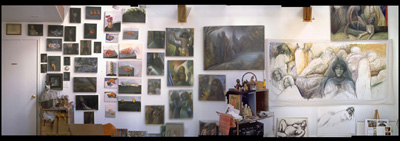
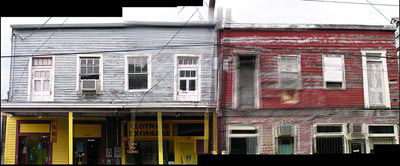
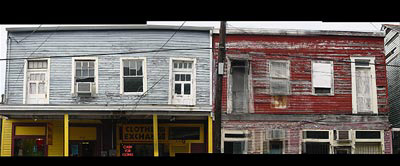
With power comes complication, however, and Stitcher is professional-caliber software designed to work with professional equipment. Stitching together hand-shot images using Stitcher’s Flat modality (the “dolly shot” where you move the camera in parallel to the image being photographed) is not so simple when information is missing such as the exact focal length of the shots. It worked much better with the studio shots where I knew the focal length was 50mm, rather than guessing the focal length with the Olympus and Canon images (see Figure 3). Among the many, many parameters that Stitcher provides for controlling the stitching and rendering process are Defined Horizon, artifact removal, and “hot spots” for defining clickable links for Web or QuickTime VR movies.
3a
3b
3c
3d
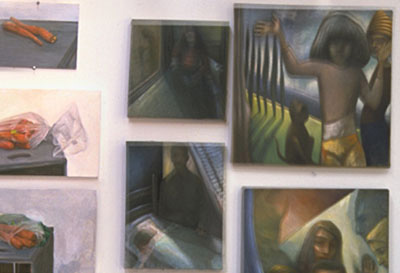
Figure 3: With optimal equipment Stitcher yields quite high-end results (3a), but with low-tech equipment Stitcher images are decent when reduced, and a bit more problematic close-up (3b). Stitcher does less well with the Olympus (3c) and Canon (3d) shots in which the exact focal length is unknown.
The parameters within the Rendering export include a range of compression settings, “Smoothing” options (whether you will get more blurring or more misalignment), and two different “Mixing” methods that determine “the method Stitcher uses to blend the seams of stitched images.” It is recommended you start with Method 1, and use Method 2 only if you’re having problems with alignment. Method 2 won’t fix the problems, but according to the manual, it “instead makes it easier to fix the image in an external graphics application. It is recommended that you do two renderings with each method, then composite the two renderings in an external graphics application” — in other words, fix what’s wrong in Photoshop.
Stitcher is the only one of these applications that lets you control how the software compensates for misalignment, whether the images are to be softer in which blurring hides the misalignment, or allow them to be misaligned. Even though I am convinced that it could do a better job if I had more time to learn the program, as long as you know the focal length of your shots, with a medium-length learning curve you can do a respectable job with Stitcher.
This article was last modified on January 3, 2023
This article was first published on April 29, 2003
Commenting is easier and faster when you're logged in!

Recommended for you

CreativePro Video: Fix Distorted Perspective in Lightroom
In this week’s CreativePro video, Nigel French shows a quick way to adjust issue...

Creating a Pop Out Effect with Photoshop and InDesign
At the 2016 InDesign Conference in Washington, D.C., Nigel French reminded me of...

Creating Latte Art With Pixelmator
As a Photoshop user, you’re no doubt used to being asked to perform the im...