




Press Release
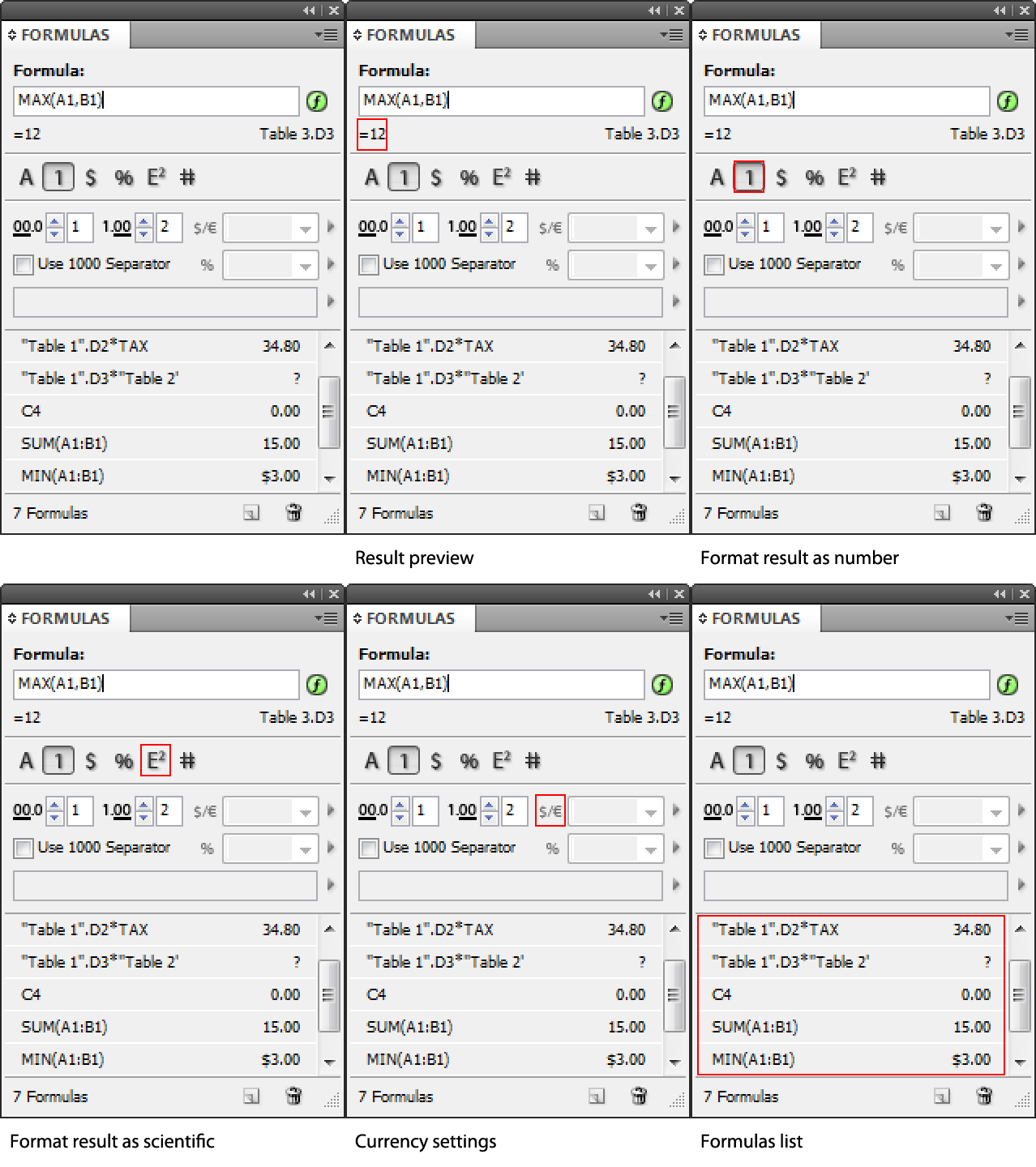
DTP Tools’ new Active Tables plug-in, now in public beta, brings spreadsheet-like functionality to InDesign. It allows you to sort tables and create formulas.
Formulas are not limited to work with data within one table, so you can just copy/paste your price-list table on the pasteboard making sure all prices in your catalog are up to date. Even better, formulas can be placed to any text in the document, so you can have calculation results display anywhere you need them to.
Active Tables has a broad field of use, starting from InDesign made invoices in a small studio to big catalogs showing always the right price. You can define names and use them in your formulas. A good example is defining commonly used numbers such as tax percentage as names you can use directly in the formula.
The plug-in creates 3 new panels:
1. Formulas – here you can define formulas in cells and in text and format the results. Also contains a list of all formulas in the document.
2. Names – in this panel you can define global and range specific names. Name can be number or a formula and is then used in formulas. You can define a name TAX with a formula ” 8% ” and then in your formulas whenever you need to add a tax to the price you just write +TAX
3. Tables panel – lists all tables in the document and in the menu contains UI for showing grid around tables for easier orientation.
Formula format can be defined in paragraph styles too, sorting features and functions to convert text to formula are added to text context menu.
To download Mac and Windows versions of the beta, go to the DTP Tools website.
This article was last modified on January 18, 2023
This article was first published on August 24, 2010
Commenting is easier and faster when you're logged in!

Recommended for you
Before&After Design Tip: Use a Simple Photo in Your Web Ad
When space is tight simple, bold, and brief

GREP of the Month: Email Addresses
Learn how to automatically format email addresses when applying a paragraph styl...

Paper Cut Out FX
With just a few clicks with the Pen tool in InDessign you can create this fun ef...