Coming Soon: CreativePro Magazine Issue 1
Read all about the exciting launch of our new magazine!

We’re thrilled to introduce CreativePro Magazine, the essential HOW-TO magazine for creative professionals.
Starting November 1, InDesign Magazine is evolving into CreativePro Magazine and will feature content on Design, Photo, Illustration, and Presentations in addition to InDesign. Learn more about the change.
Filled with practical, real-world tutorials written by experts, CreativePro Magazine provides independent, valuable insights into how to work more efficiently and design more effectively.
Published by the same team that has produced InDesign Magazine since 2004, CreativePro Magazine will be released as a monthly PDF available to Professional members of CreativePro.com.
Here’s a preview of the amazing content you can look forward to in Issue 1, coming to a device near you November 1:
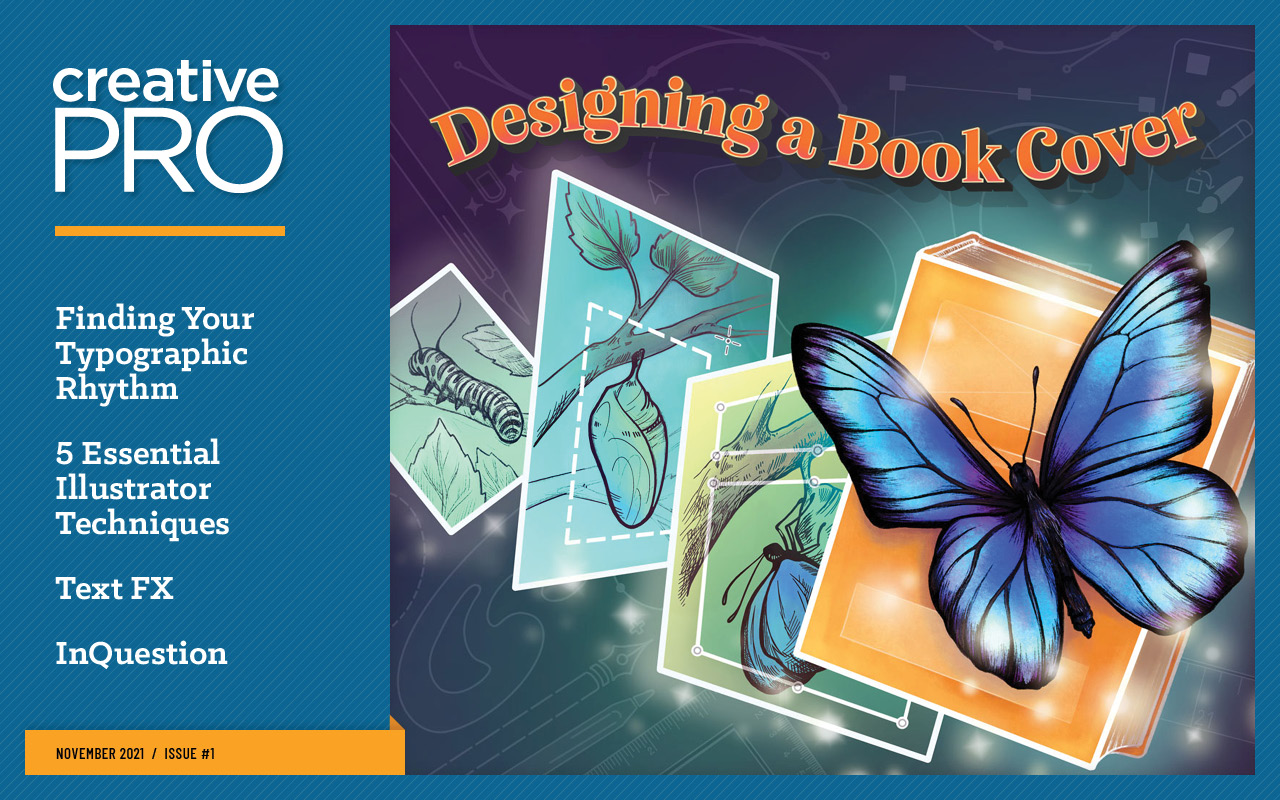
Articles include:
- Designing A Book Cover by Hugh D’Andrade
- 5 Awesome Illustrator Techniques by Dave Clayton
- InType: Finding Your Rhythm by Nigel French
- Creating Tile Effects with Illustrator and Photoshop by Steve Caplin
- Secrets of PowerPoint’s Selection Pane by Nolan Haims
- Photoshop Prepress: Reducing Total Ink by Amybeth Menendez
- Getting Equations from Microsoft Word into InDesign by Keith Gilbert
- A Script to Control Layer Visibility in Placed Images by Mike Rankin
- Review: Randomill for Illustrator by Ari Weinstein
- InQuestion by Erica Gamet
– Special Introductory Offer –
To celebrate the release of the first issue, new members can take advantage of a limited-time discount of 50% off the normal $59 annual Professional membership fee with promo code CPMFIRST.
This article was last modified on October 19, 2021
This article was first published on October 18, 2021
Commenting is easier and faster when you're logged in!

Recommended for you
Livestream Video: Creating Retro Looks & Type Treatments in Photoshop
Making new things look old is always a fun challenge!
Mapping Paragraph Styles to PDF Tags in InDesign
Map Paragraph Styles in your InDesign document to the proper tags for accessible...