




App developer MacPhun LLC has released a mobile version of its highly-rated Color Splash Studio photo editing application. MacPhun is the company behind photo editing apps like PhotoPal, Perfect Photo, and others. Their latest app allows you to use your iPhone, iPod Touch, or iPad to apply special effects and color adjustments with masking to photos. And for a limited time, the iOS version of Color Splash Studio is available for 99¢.
Using Color Splash Studio is a lot like using Photoshop to apply an adjustment layer with a layer mask (though a lot simpler). You start with a photo you take with your device or import from Facebook. You can apply special effects and desaturate the image into either a pure grayscale, sepia, or blue tone. Then you can mask out the effects by painting on the image with your finger.
For creating the mask, you can choose from a small set of brush presets, or you can adjust the diameter, opacity, and softness of your brush manually.
Painting a mask with your finger is simple and fun but it would be a pretty clumsy exercise if not for two very useful controls built into the app: pinch and zoom, and a separate zoom preview in the corner of the screen that allows you to see the details that would otherwise be hidden under your fingertip. For really precise work, you can make the mask fully visible while you work on it (like Photoshop’s Quick Mask feature).
When you’re done, you can print your artwork, email it, or share it with your Facebook friends, Twitter tweeps, etc. You can also create a 4 x 6 postcard that can be printed and mailed.
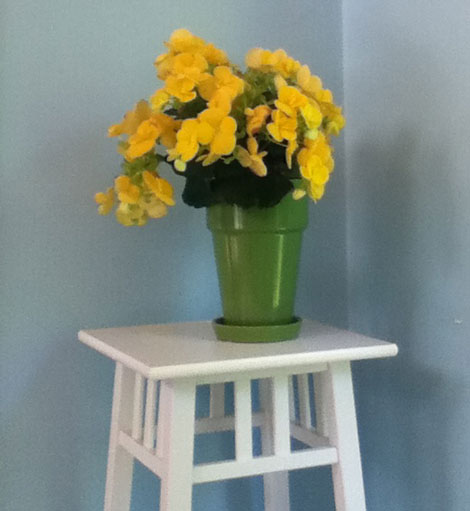
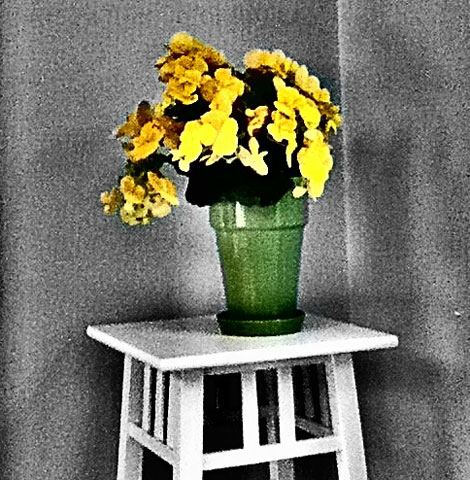
To see exactly what you can do with Color Splash Studio, check out this short demo video:
This article was last modified on January 6, 2023
This article was first published on June 11, 2012
Commenting is easier and faster when you're logged in!

Recommended for you

How to Fill Text with Images in Photoshop
The next time you need to place an image inside text in Photoshop, try one of th...

How to Make an LCD Digital Calculator Effect
You never know where you’ll find inspiration to create something. Yesterday’s Go...

Scanning Around with Gene: Getting That New Bike Down the Chimney
Vintage images and memories from when a shiny new bike was the ultimate Christma...