



Although MonacoEZcolor was the clear winner on this test, it’s important to put the objective results in context. Feeding known CIE Lab values to the printer through the Absolute Colorimetric rendering intent should, in theory, produce colors on the print that are nearly identical to the source colors if the printer is physically capable of producing those colors. If your main concern is with accurate reproduction of spot colors, or if you want to use an inkjet printer to proof output from a printing press, the profile’s Absolute Colorimetric performance is important, but you should also realize that this comparison says essentially nothing about the profile’s ability to produce good-looking images.
On our subjective evaluation of real images, the results were much closer to each other, and all were quite acceptable. (See Figure 10) The biggest differences between the profiles are the way they compress the tonal range of the original into the smaller tonal range of the printer and the way they handle out-of-gamut colors. The differences in gamut mapping are most evident on the saturated red detergent container and the red towel. (See Figure 11)The MatchLock Profiler II profile had noticeably lower contrast than the others: In case you desire a higher contrast, Profiler II allows you to edit the profile by simply adjusting the contrast slider and rebuilding the profile.
We should reiterate that there is no “right” way to do perceptual mapping — it really is largely a matter of taste. You may find that you prefer one profile’s rendering of some image components and another’s rendering of others. This is not unusual. It’s unlikely that any perceptual rendering scheme will do equal justice to all images. That’s why color management doesn’t, and probably never will, replace color correction.
Note: Displaying accurate color on the Web is a near impossibility with the current state of the art. We scanned all the images directly into sRGB, using the same scanner settings. To the degree that your monitor is different from the sRGB spec, the color you see in your browser will differ from the hard copy. However, the relative differences between the different prints should be accurately represented, since whatever distortion your monitor imposes applies equally to each image.
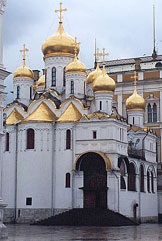
Figure 10a – Original Image
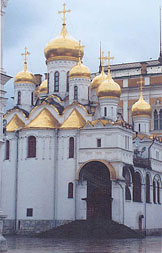
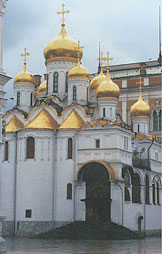
Figure 10b – EZColor and 10c – WiziWYG
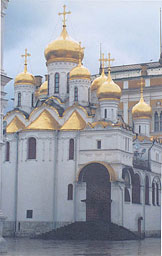
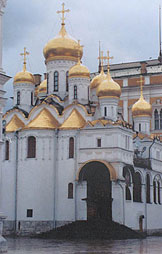
Figure 10d – Profiler and 10e – GretagMacbeth’s ProfileMaker Pro 3
Figure 10: Original Image (a), EZColor (b), WiziWYG(c), Matchlock (d), ProfileMaker (e)
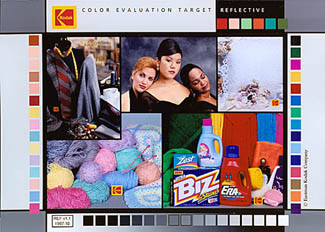
Figure 11a – Original Image
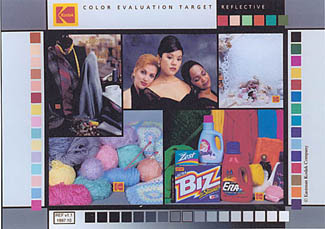
Figure 11b – EZColor
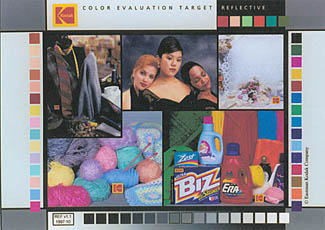
Figure 11c – WiziWYG
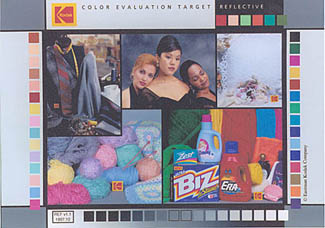
Figure 11d – Profiler
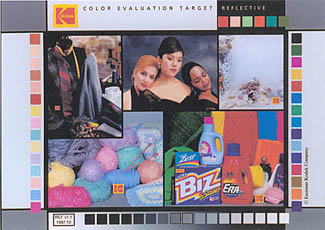
Figure 11e – GretagMacbeth’s ProfileMaker Pro 3
Figure 11: Orginal image (a), EZcolor (b) WiziWYG (c), Profiler (d), and GretagMacbeth’s ProfileMaker Pro 3 (e).
This article was last modified on January 18, 2023
This article was first published on May 10, 2000
Commenting is easier and faster when you're logged in!

Recommended for you
Creating a PDF from InDesign’s Print Booklet Feature
A step-by-step guide to creating a PDF of printers spreads with Print Booklet.

TypeTalk: An Interview with Ray Nichols of Lead Graffiti Letterpress
Ray Nichols is a man who follows his passion. Ray, along with his wife and partn...

Inside the Publishing Revolution: How the LaserWriter and Photoshop Changed the World
Excerpted from “Inside the Publishing Revolution: The Adobe Story” (...