




Further boosting the G2’s focusing control is the new manual focus button, located on the left side of the camera. In manual focus mode, you use the up and down buttons on the cursor pad to focus in and out. Because small digital cameras lack good viewfinders with focusing screens, and because their LCDs are so small, manual focus controls are usually not very useful. Canon has added two focusing aids to the G2, though, that make manual focusing more practical. First, a distance gauge is displayed on the LCD screen to provide a way to double-check your focus when manually focusing. More useful, though, is the zoomed “loupe” that appears in the middle of the display. The G2 actually takes the center portion of the image and enlarges it so you can better see if it’s in focus. Though you’ll rarely need to use manual focus, thanks to the G2’s very capable autofocus, these features make manual focus much more flexible for those times when you do need it.
The G2’s slowest shutter speed has been extended to 15 seconds from the G1’s 8 seconds. Though still no substitute for having bulb mode for long exposures, this should provide most of the range that anyone but an astronomer would need. As on the G1, the G2 uses its iris for both aperture and shutter speed control. As such, the fastest shutter speed available depends on the aperture at which you are shooting. Even at its “slowest” the G2 can manage 1/500th, so this limitation should not be a problem for most shooting.
A new high-speed continuous shooting mode has been added that seems to almost double the shooting rate of the normal continuous mode. However, because the image buffer fills up twice as quickly, you can only capture roughly half the images that you can capture in a single burst on the G1. Because it’s shooting so fast, it doesn’t have as much time to off-load images, so the buffer fills up quickly. Despite this caveat, the extra speed can be handy if you do a lot of burst shooting.
In addition to its normal JPEG settings, the G1 offered an 8-bit Raw shooting mode, similar to the raw features found on higher-end cameras such as the Canon EOS-D30. In Raw mode, the raw image data is taken off of the CCD and stored with no image processing of any kind. Later, using your computer, you can manually control the image processing that the camera would normally perform. Canon has improved raw support on the G2, by upgrading the G1’s 8-bit raw feature to a full 16-bit raw export.
Raw has several advantages over JPEG. First, it’s uncompressed, so you don’t have to worry about JPEG artifacts. Second, because the camera is not performing any processing, you’re free to control everything from white balance to sharpening after you take the shot. On the downside, raw files take up more space and are in general a little more complicated and time-consuming to work with. For situations where you need the cleanest possible images (low light, for example) or for when you’re unsure about white balance, raw can be your best shooting option.
Finally, Canon has also added two QuickTime movie modes, both with audio, which allow for easy capture of Web-quality video. Though no substitute for a real video camera, these are handy features for creating short Web or email deliverable videos.
G-Forces: Image Quality
When it came out, the G1 was probably our favorite camera in its class, largely because it took such great pictures. With the G2, things are even better. Canon has tweaked everything from white balance to color processing to yield images that are even better than what was possible with the G1. And, like the G1, three different levels of sharpness, contrast, and saturation are provided, letting you further control the G2’s image processing.
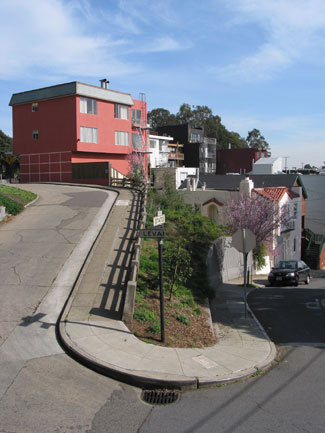
Figure 3: Like the G1 before it, the G2 provides excellent-quality images. The camera’s unique ISO 50 mode yields images with surprisingly little noise. As good as the G1’s images were, Canon has improved many things with the G2 including purple fringing problems. Click here for the original, full-size image (726K).
Our biggest image quality complaint with the G1 was the “chunkiness” of the camera’s noise when shooting at high ISOs. This is much improved in the G2, and more on par with the type of noise one finds in the competition. Also improved are the camera’s chromatic aberrations. Though the G2 still occasionally exhibits a little purple fringing, it’s much less than before, and even better than some more expensive competitors.
Golly-G
Though you can argue the fineries of all of the G2’s features, the bottom line is: This is a very nice camera. As with the G1, the G2’s form factor is great, and it’s difficult to complain about image quality. But the addition of so many handy shooting features as well as the improvement in image quality make this the 4-megapixel camera to beat.
This article was last modified on January 18, 2023
This article was first published on March 5, 2002
Commenting is easier and faster when you're logged in!

Recommended for you
Photoshop Week 2014
Any time is a great time to expand your Photoshop knowledge, but you might want...

Lexar Increases Performance of High-Capacity CompactFlash to 133X
Lexar Media, Inc., a leader in advanced digital media and accessories, today ann...

Thoughts on the Sony A6000 Mirrorless Camera
Mirrorless cameras have been both a hot topic and a subject of some debate. Duri...