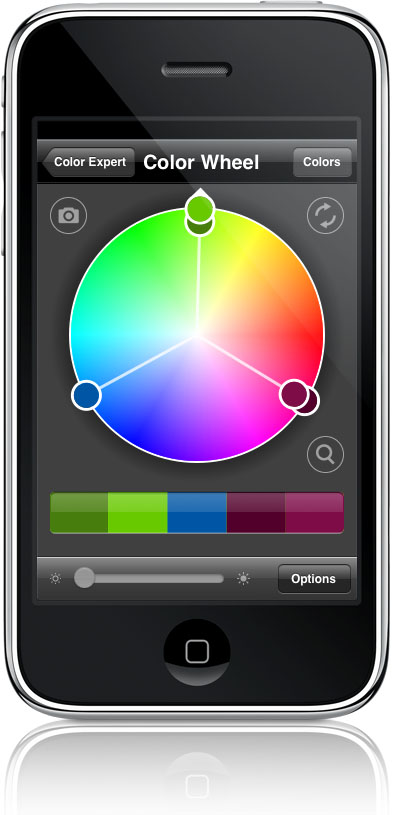
Code Line has a great reputation for outfitting designers with software applications to make their jobs easier. Now, artists on the go can turn to their iPhone or iPod touch for Code Line’s newest creation, Color Expert.
Color Expert contains powerful tools to help artists and designers identify, translate, capture and showcase color. And now they can do that anywhere.
“I love this application,” says Code Line developer and graphic artist Matheau Dakoske. It’s like carrying a swatch book in your back pocket.”
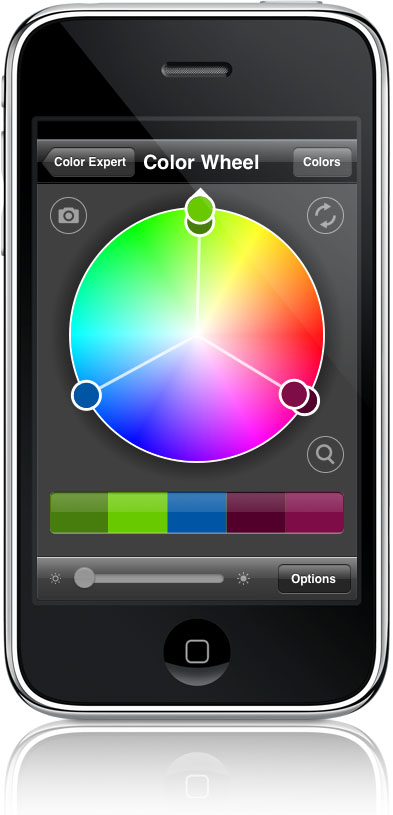
Color Expert features an intuitive, interactive color wheel to identify a target color, and then finds several palettes backed by color theory. Designers, artists, decorators, and anyone who works with color will find this program indispensable.
Features:
* Color Expert’s exclusive “snap & tap” technology. Just snap a photo and let your finger select that perfect color. From your eyes to the screen.
* Powerful, interactive color wheel with multiple color schemes including Monochromatic, Analogous, Complementary, Split Complementary and Triadic.
* Quickly search through PANTONE(R) solid coated, PANTONE(R) solid uncoated, PANTONE(R) Goe(TM) coated, PANTONE(R) Goe(TM) uncoated, Web Safe Colors and HTML Colors.
* Email your palette ideas to friends, colleagues and clients. Color Expert provides a rich, HTML based email you can send from your iPhone or iPod touch.
Pricing and Availability:
Color Expert is available at an introductory price of $9.99 (USD) from the iTunes App Store.
This article was last modified on December 17, 2022
This article was first published on October 10, 2008
Commenting is easier and faster when you're logged in!

Recommended for you

Indesign Basics: Numbering Pages
InDesign can number your pages, but a little bit of setup goes a long way, as Er...

Quark Adopts Microsoft Silverlight; Adds Silverlight Exporter to Quark Labs
Quark Inc. announced today that QuarkViewer XT supporting Microsoft® Silverlight...