



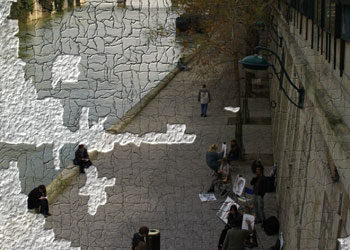
Crease automatically applies distortions and complex highlights, shadings and shadows to make an image look bent and folded (see figure 4). Controls are provided for changing “crumple” amount, crease depth and frequency, Crease also allows you to paint crease paths directly on to your image. Simply brush with the Crease tool, and DreamSuite will create a vector-based path that you can edit and tweak. Many of DreamSuite’s filters include such interactive controls, and they provide a simple interface for creating complex effects.
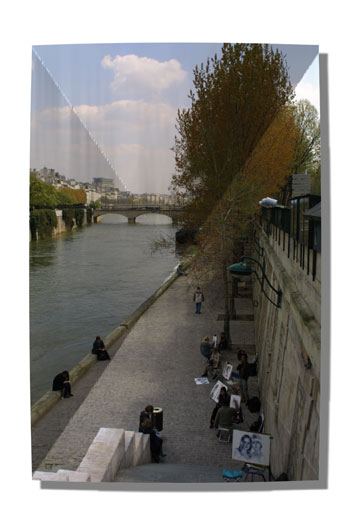 Figure 4: Crease lets you add folds and wrinkles, as well as paint on creases of varying depth and strength.
Deckle creates incredibly realistic torn paper effects. In addition to parameters ranging from the width and variation of the tear to fiber density of the frayed edge, Deckle also provides a tear-painting brush. As with the Crease brush, the Deckle brush lets you create a beziér path to define your tear. Like many of DreamSuite’s plug-ins, Deckle can render empty areas of the image as transparent, allowing you to create a tear effect in one layer, that revels underlying layers in your image.
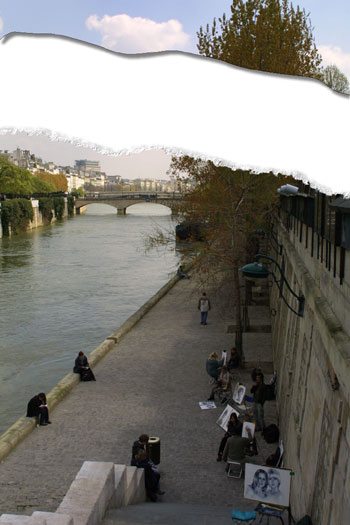 Figure 5: Deckle provides interactive, brush-based tear effects.
Focus provides an interactive, variable blur control that lets you create dramatic rack focus effects as well as selective blurring (see figure 6). Focus provides an interactive ellipse control for shaping and applying the effect. Though Focus doesn’t provide anything that you couldn’t easily do with some simple masking and Gaussian blurring, it does let you create these effects quickly and easily.
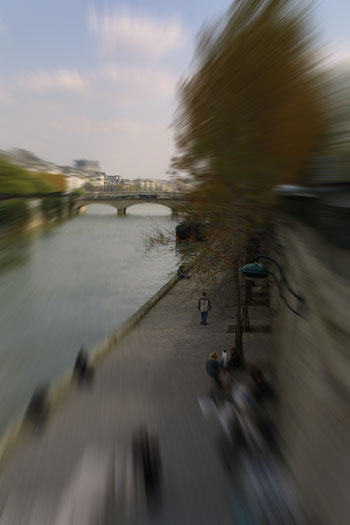 Figure 6: Focus provides a variable-sized blur control that lets you create soft or zoomed blur effects to bring focus to your subject.
Liquid Metal is a simple brush tool that paints with a mercury-like, liquid metal substance. Calculation-intensive, the Liquid Metal brush does not paint in real-time. Rather, you paint a stroke and then wait for the program to render the metal-like results. Once you see the rendered stroke, it’s easy to understand why a real-time brush is not possible. Generating full reflections and environment mapping, the Liquid Metal brush is startlingly realistic. Simply put, it behaves exactly as you would expect a brush dipped in mercury to behave. Metal Mixer is similar to Liquid Metal, but provides different types and colors of metal that can be mixed together.
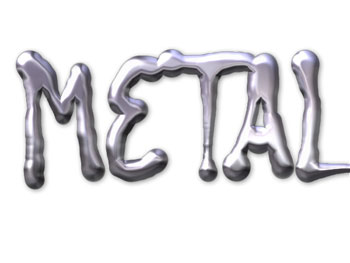 Figure 7: With Liquid Metal, you can paint with a thick, shiny, mercury-like metal.
Photo Border lets you add any number of different borders to an image. With simple controls and a range of borders, it provides a quick and easy way to add a stylized border to any image.
Photo Depth lets you add frayed edges, wrinkles, crumples, and dimples to an image using a set of simple brushes. After configuring a few parameters, you can quickly brush any of these “depth” effects on to an image to make it look old, worn, or damaged.
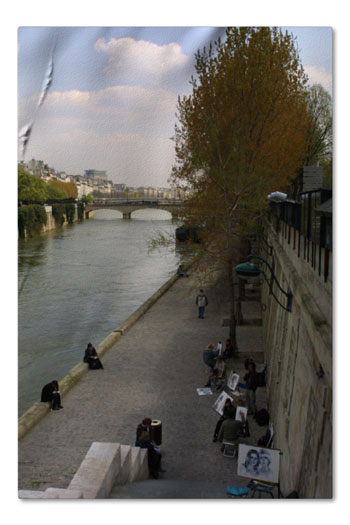 Figure 8: Photo Depth lets you add bulges, frayed edges, wrinkles and depressions to your image.
Tape lets you create photorealistic strips of tape. Tape offers a slew of parameters for changing color, opacity, and texture and includes presets for Masking tape and Duct tape. The tape strips themselves can be positioned and oriented by simply dragging their ends to the desired locations. Tape width can also be controlled interactively, as can the positions of tears and creases.
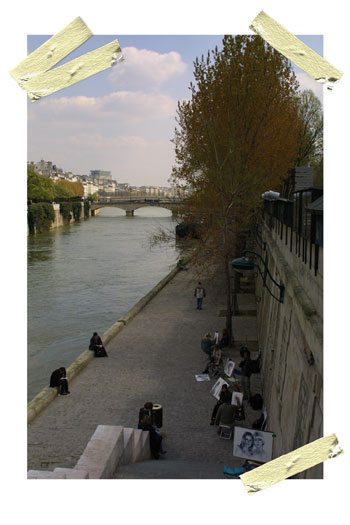 Figure 9: DreamSuite provides a number of different types of tape that can be interactively positioned, rotated, and scaled on your image.
DreamSuite also includes a few “arty” effects such as Cubism and Hot Stamp. These tools provide more “painterly” effects and are okay at what they do, but they seem a little odd in this package of otherwise photorealistic simulation effects.
Conclusions
AutoFX has done a good job with DreamSuite. The effects themselves provide an extraordinary degree of control and produce excellent, photorealistic results. Performance is good — particularly given the complexity of some of these effects — but we did find some instability in the package. Occasionally, we would have to restart Photoshop to get the DreamSuite plug-in to launch.
DreamSuite does not offer basic utility tools — color correction, for example — that you will use with other techniques to build up a finished effect. A DreamSuite’s plug-in does exactly what it says it will do, and it does it very well. As such, if you need any of the effects that DreamSuite can create, then buying this package is a no-brainer.
This article was last modified on December 14, 2022
This article was first published on November 19, 2002
Commenting is easier and faster when you're logged in!

Recommended for you

Heavy Metal Madness: The Art of Labor Day, or is it Leisure Day?
I enjoy a three-day weekend as much as anybody, but Labor Day has always struck...
Do-It-Yourself Glitch Art
Here’s something perfect for a Friday, or any day when productivity isn...

Create Amazing Computer-Generated Art With Amberlight
Amberlight is an app for Windows and Mac from Escape Motions (makers of Fla...