




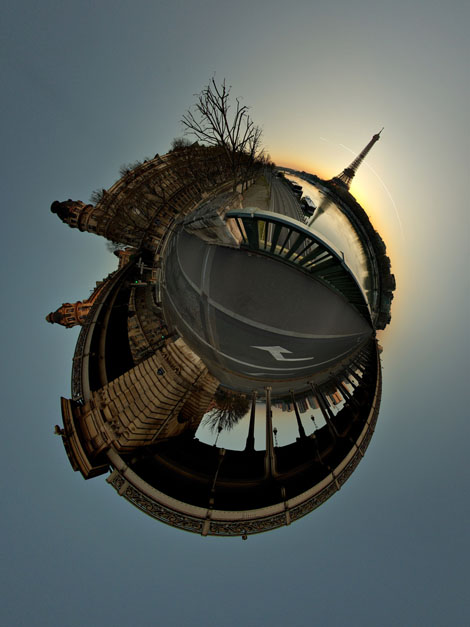
This week’s image, “Paris s’éveille,” is a stereographic projection. No, I didn’t know what that was either, until I read the explanation provided by photographer Alexandre Duret-Lutz (Flickr handle “gadl”), an assistant professor at Epita. And, er, actually, I’m still not sure after reading his explanation — you can plow through it yourself at www.flickr.com/photos/gadl/sets/72157594279945875/.
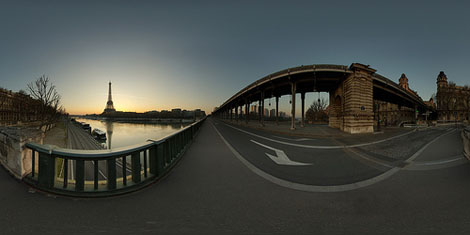
But basically, it seems that Alexandre takes multiple shots (16 in this case) and builds an equirectangular panorama. Then he uses the mathmap plug-in for The Gimp image editor to create the stereographic projection from the panorama. Read his how-to for tips on doing it yourself.
And here’s the equirectangular panorama from which Duret-Lutz built the stereographic projection:
This article was last modified on December 14, 2022
This article was first published on September 18, 2009
Commenting is easier and faster when you're logged in!

Recommended for you
Essential Illustrator Shortcuts
Save time with Kat Kremser's cheat sheet of Illustrator shortcuts!

Mapping Paragraph Styles to PDF Tags in InDesign
Map Paragraph Styles in your InDesign document to the proper tags for accessible...
