



[Editor’s note: This was our 2011 April Fool’s Post]
In a surprise announcement, Adobe is today shipping InDesign CSios, a version of InDesign specially designed to be run on iOS systems, such as the Apple iPad and the iPhone.
InDesign CSios (with a French pronounciation, like “InDesign say-swa”) is essentially the same as the the current version, CS5, with some modifications due to the nature of the iOS. Adobe InDesign Senior Product Co-Manager, Chris Kitchener, said “obviously, we were unable to port over some panels that are rendered with Flash in the Windows and Mac versions, such as the kuler panel and that other one, I forget what we call it.”
Adobe’s other Senior Product co-Manager for InDesign, Kiyo Toma, added, “We’re very excited with the easy-to-remember gestures we came up with to replace keyboard shortcuts (since there is no keyboard). For example, two fingers in a clockwise circle now opens the Pages panel, dragging three fingers in a backward L-shape jumps to the first spread. To right-click, firmly grasp the upper left corner of the device with one hand while keeping your thumb pressed on the page object, and then use your other hand to gently stroke under the lower right corner of the device until the contextual menu unfurls like an orchid in bloom.”
After taking a sip of water, he continued, “And we predict that power users will be especially pleased with how we’ve integrated the iPad’s built-in gyroscope to InDesign. Just tilt and rotate the iPad itself to float a paragraph into centered alignment or re-crop an image in a frame.”
Other changes in InDesign CSios include:
- XML support dropped: Because virtually no one who actually understands XML would be caught dead with an Apple device, Adobe decided to just leave these features out.
- Pinch, Zoom, and Slingshot: Many of InDesign’s document navigation tools have been reworked to take advantage of extremely popular UI in other iOS apps, such as the support of “Unlimited Shaking” to undo all your work. And a new Slingshot tool lets you fire various “Angry Frames” on to your page.
- Export to iBooks: In a boon for publishers, you can now export EPUB directly to the iBooks app, including support for audio and video. Note that doing so transfers copyright ownership of 30% of the publication’s content to Apple. (“We expect most publishers will simply deliver EPUBs with 130% of content, so it works out the same in the end,” said an Adobe spokesmodel.)
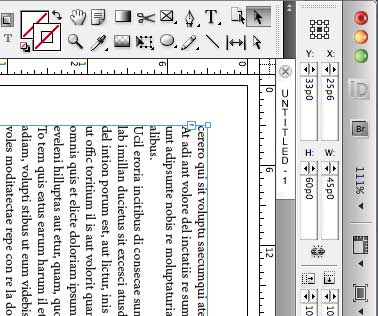
- Rotating view: Building on the Rotate Spread View feature (which first appeared in CS4), InDesign can now display everything — including its own UI — sideways based on how you are holding the tablet device. See this image, a screen shot taken in landscape view:
Adobe also announced that InDesign for Android (dubbed InDroid) would be shipping within 30 days.
See other topics of the same genre:
- News: InDesign Drops Support for Print Publishing
- Adobe Recants: Flash and Interactive Apps Cancelled
- InDesign CS5: Every Feature Revealed In Amazing April 1 Scoop!
This article was last modified on January 18, 2023
This article was first published on April 1, 2011

Recommended for you

Adobe InDesign CSVI Ships
News: The Creative Cloud Enhanced by New Underlying InDesign CSVI Technology
Adobe Recants: Flash and Interactive Apps Cancelled
Everyone knew Flash and Flex were just a fad (like the Web). Adobe finally gives...
InDesign CS5: Every Feature Revealed In Amazing April 1 Scoop!
Hear ye! Hear ye! Read all about it! Get your CS5 news here! Major leaker tells...
Comments are closed.