




Hey, in case you missed it? Adobe shipped InDesign CC last night! As you may know, there are not a lot of new features in IDcc (or IDCC or however you want to initialize it), because Adobe undertook the massive job of decarbonizing the app on the Mac OS and making it 64-bit capable. There are a few cool new features however, including:
- A new font menu in the Control and Character panel to allow “fuzzy” searching for font names (think of it like Quick Apply for fonts).
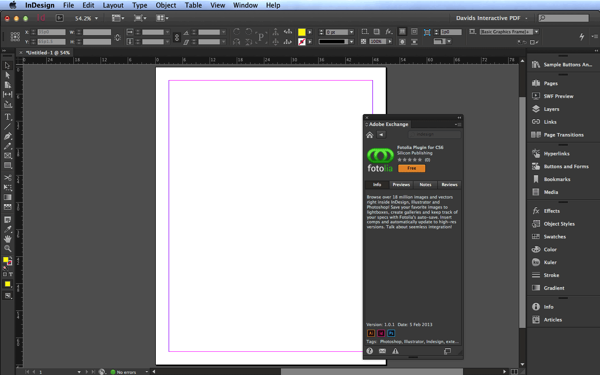
- The Dark UI (which you can, fortunately, make lighter? though never as light as CS6 was)
- A Hi-DPI interface, so that it looks awesome on Retina and other high-resolution displays (which required hand-redrawing thousands of icons, by the way)
- Ability to make QR codes in your documents
- A Preview button in the New Document dialog box
- And a lot of enhancements to EPUB export. In fact, if you are doing EPUB, you are going to want to upgrade as soon as possible.
Here’s a screen shot of the new UI:
New Adobe Application Manager
One of my favorite new “features” isn’t InDesign-specific at all? it’s the new Creative Cloud application manager menulet, which looks like this on the Mac:
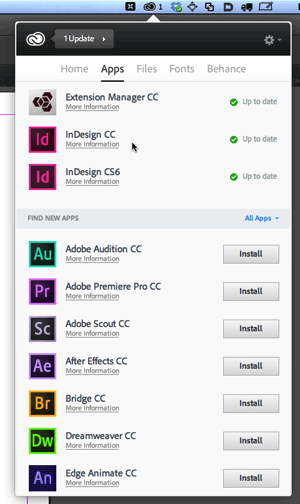
You just click on the little menu and it shows you what’s new, what needs updating, and what you can download. It’s very slick, and much nicer than the old application manager.
Some Missing Features
Note that Adobe hasn’t shipped everything they’ve promised yet. For example, the Typekit feature that lets you download fonts to your desktop and use them in any program? that’s coming “soon.” Adobe is sure to roll out all kinds of features over the next few months — in fact, that is part of the whole reason they’re going to a “cloud” distribution model: They don’t have to hold up the release of these programs until that stuff is ready!
For More On InDesign CC
For more about InDesign CC, check out:
- InDesign Magazine Issue 54 (shipping tomorrow)
- Over 200 people commenting on Adobe’s new “cloud only” business model
- Anne-Marie and I talk about our feelings about CC in Podcast 194
This article was last modified on December 30, 2021
This article was first published on June 18, 2013
Commenting is easier and faster when you're logged in!

Recommended for you

Illustrator and InDesign
Steve Caplin explains how to combine the strengths of InDesign and Illustrator i...

How to Install InDesign CS6, CC, or CC 2014
The details of how Creative Cloud subscribers can install older versions of InDe...
Adobe Removes Older Versions of Apps from Creative Cloud
In a move that took users by surprise, Adobe has removed most older versions of...