



One of the annoyances that I often come across is having the stroke forward by accident. This can be problematic when you are dealing with text. Prior to CS4, problems could occur if you are changing the stroke on your graphic frame, but immediately try to change the color of text. Since you had the stroke forward on your frame, InDesign would keep the stroke forward for the text.
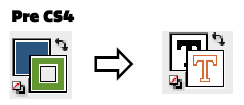

In InDesign CS4 this “problem” have been resolved. When your stroke is forward on a frame InDesign remembers where it is, but as soon as you switch to your type tool the text fill will be forward (if that was its last position). When you are done with the text and switch back to your arrow the stoke will be back in front again.

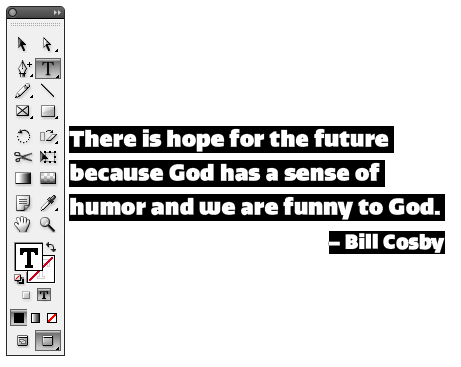
At first this can seem a little alarming, but I now really enjoy the fact that if I am changing the stroke on a frame, I no longer have to worry about changing the color of my text.
This article was last modified on December 17, 2022
This article was first published on June 11, 2009
Commenting is easier and faster when you're logged in!

Recommended for you

Turning Polygons to Starbursts in InDesign
Drawing starbursts isn't hard, once you know where to look. Plus, check out this...
Find/Change with Conditional Text
Conditional text is one of the coolest new features of CS4. You can even apply c...

InDesign How-to Video: How to Delete Text Styles in Use
In this week’s InDesignSecrets video, Anne-Marie Concepción explains how to hand...