



Hey folks, it’s time for another InDesign mystery that you can solve for a chance to win an awesome prize!
Ready? Here’s the scenario:
You’re working at a colleague’s computer, creating a tourist guidebook to the fair city of Oslo, Norway. You’re given some handwritten copy to type into a text frame on top of an image.
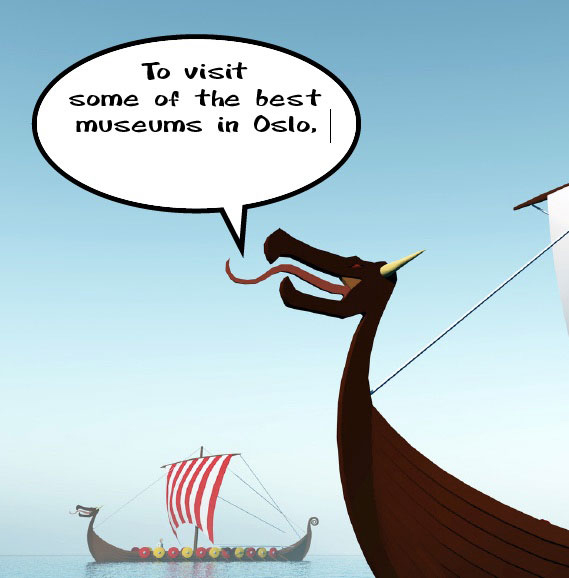
As you type, you notice that some characters look strange. They don’t match the surrounding text.
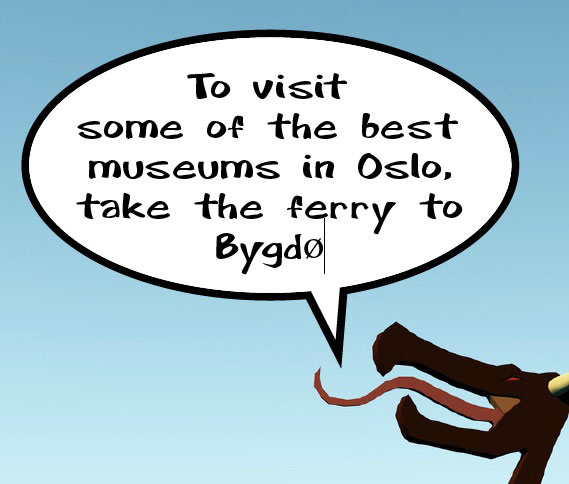
Sure enough, when you select those characters, you see that they’re formatted with a different font.
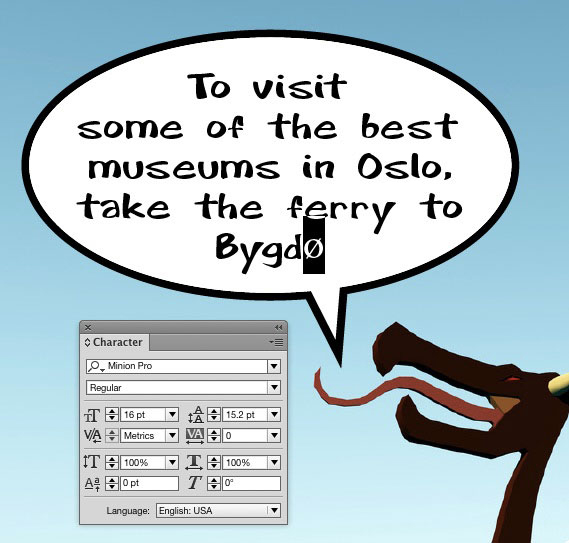
As you type the rest of the text, the font automatically changes back to the correct one.
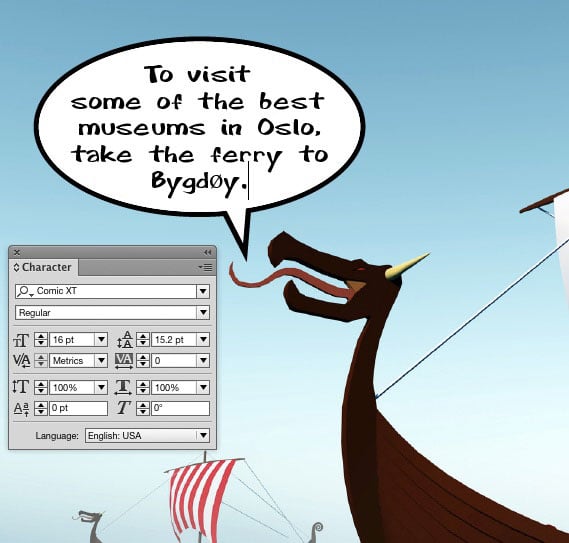
You check the paragraph style and see nothing in it that would change the font automatically. There are no nested styles, no GREP styles, etc. In fact, there are no character styles at all in the document. Yet every time you type a character like the “o” with a stroke shown above, it changes to Minion Pro.
What InDesign feature is making this happen?
If you know, email me your solution at mike at indesignsecrets.com before Thursday June 24th, 2015. At that time, I’ll reveal the solution and choose one winner at random from the correct answers.
And that lucky person will win a Personal Activation Code for FrameReporter from Rorohiko!
FrameReporter allows you to add a little ‘info label’ to any currently selected page item(s).
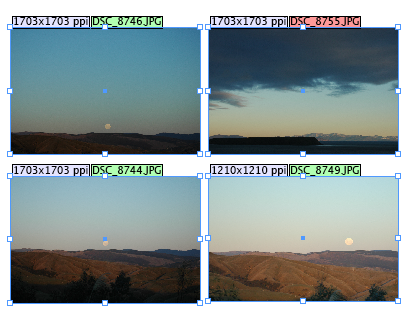
So without ever taking your eyes off the page or opening any panels, you can see things like the resolution, file name, and link status of placed images, word counts, item position, and more. I love the fact that it will show you if a story has overset text without you having the scroll to the end of the story.
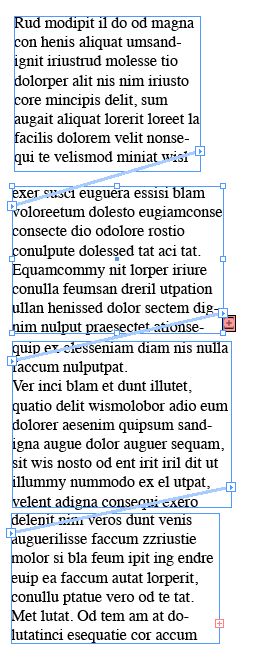
You can also use FrameReporter to jump to specific stories or frames.
This awesome prize normally costs $178 US, but you can have a chance to win it for free by solving this month’s mystery. Good luck!
Note: Comments are closed on this post while the contest is open so no one gives away the answer.
This article was last modified on July 25, 2019
This article was first published on June 18, 2015
Commenting is easier and faster when you're logged in!

Recommended for you

New Contest! The Riddle of the Ring
Solve this InDesign mystery for a chance at winning a great prize.
The Mystery of the Vanishing Text Contest Answer and Winner
Solve this InDesign mystery for a chance at winning a great prize.
New Contest! Solve the Mystery of the Upside-Down Master Page
Hey folks, it’s contest time again! Last month, many of you unraveled the...