




Hungry for another great InDesign tip? How about an image sandwich? You know the effect, you’ve seen it a million times on magazine covers. It’s where some sharp vector text looks like it’s sitting between the subject and the background of an image.
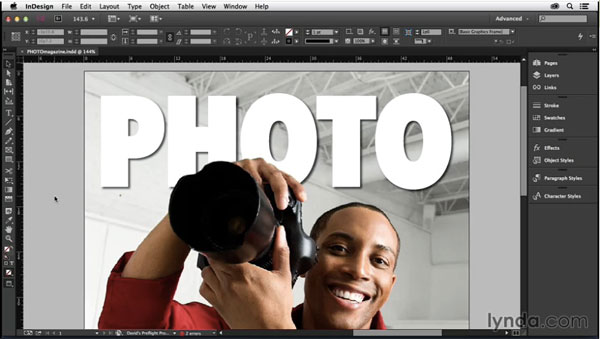
And in the latest InDesignSecrets video at lynda.com, David Blatner shows you the best way to achieve this effect, combining the powers of Photoshop and InDesign. Check it out!
This article was last modified on March 5, 2025
This article was first published on May 15, 2015
Commenting is easier and faster when you're logged in!

Recommended for you

CreativePro Video: Fill Live Illustrator Text With a Gradient
In this week’s CreativePro video, Mike Rankin shows us how to quickly fill text...

InDesign How-to Video: How to Use Primary Text Frames
In this week’s InDesignSecrets video, Erica Gamet demos how to use InDesign’s Pr...

CreativePro Ask the Expert Video: Thomas Phinney
In this week’s CreativePro video, David Blatner chats with Thomas Phinney in thi...