



Most InDesign users are completely unaware of all the cool uses for slugs in their documents.

No, not that kind of slug.
I’m talking about the kind of slug that defines an area around the pages of your document, and can be used to include all sorts of useful information in printouts and PDF.
In the latest InDesign Secrets video at lynda.com, Anne-Marie Concepción demonstrates some great uses for slugs, like an area for approval signatures

as well as date and time stamps showing when the document was output.
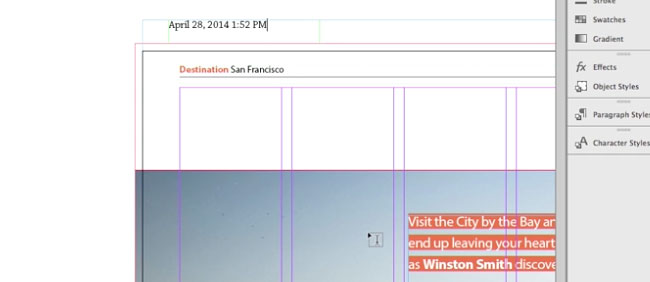
So check out the InDesign Secrets video series at lynda.com. It’ll leave you feeling “sluggish”—but in a good way!
This article was last modified on March 5, 2025
This article was first published on November 14, 2014
Commenting is easier and faster when you're logged in!

Recommended for you

Using InDesign Snippets in a Printing Workflow
If you're a designer about to submit a brand new layout file to your prepress de...

InDesign How-to Video: How to View Selected Text Color
In this week’s InDesignSecrets video, Mike Rankin shows us how to view the actua...

CreativePro Video: Placing an Image in Live Text in InDesign
In this week’s CreativePro video, Mike Rankin shows how easy it is to put an ima...