




Vancouver, Canada — Isis Imaging Corporation announces Icefields 5.0 image processing and halftone software. Icefields provides commercial printers and photographers with a new standard of reproduction control and quality.
Icefields is a desktop software application that allows the user to guide the production of images and PDFs to a selection of halftones. After all, in print production, the halftone is the image’s final and most important state.
Icefields is a merger of image-processing and halftoning: Open any image format or any PDF page, prepare and halftone it, off-line and even off-site of the printing device. Send the halftone to a printer or save the halftone in TIFF or PDF.
Key features
A wealth of image processes: Icefields provides a selection of tools for preparing an image for print. Make duotones, quadtones, and separate a fifth color. Under-color removal, tonal reproduction curve adjustments, color adjustments, scaling, and color space transformations prepare your images for AM, FM and Hybrid halftones.
Soft proofing: Icefields provides great visual feedback. The main window contains the working view. Icefields soft-proofs in composite and separation modes.
The preferences you need for repetitive actions: Use the preference window to save settings you use for all your images. Insert data for a 15-point tonal correction, and a quick 3-point correction. Control your halftones by inserting your printers resolution, your desired halftone resolution, and your preferred gamma value.
Easy access to tools: The main window contains your frequently used tools.
- Control the soft-proof view’s zoom, and move the image in its window.
- Change CMYK to grayscale and grayscale to CMYK.
- Make real negatives, not color space inversions.
- Perform scaling to ensure the correct image size.
- Make halftones in CMYK, any channel and grayscale.
- Send the halftone to your printer
- Save the halftone as TIFF for import into any image-processing application, or save in PDF to view and print from any PDF reader.
Duotone creation: View each ink color and the result of the ink mixture. Control the tonal values of each color. Make a CMYK document for proofing or a unique file with each ink color placed in separate C, M, Y, and K channels. Then select your halftone type.
Quadtone creation: Isis Imaging invented quadtones, including the algorithms and inks in 1997. Icefields provides appropriate control and soft-proofs the three shades of gray and black inks.
Spot-color creation and separation: Spot-color creation is an important tool for five-color offset, silk-screen, and carbon-dye photography. Select your ink color with the color picker, separate that color from your image, and use an FM halftone to avoid moiré.
Under-color removal: Control the removal of under-color to reduce the amount of ink buildup for print reproduction under the spot color or the black separation. Removal of the color underneath black is important for printing black text without rich color.
Image processing at system speed: Last minute color correction is provided with Apple Inc’s great global color correction tool.
High-quality halftones
Icefields creates original FM and AM halftone screens. There isn’t anything average about Icefields screens.
The Standard FM screen: First released in 1996, and used in newspaper reproduction the same year, it is sharpening neutral, and without the typical worms and voids of many diffusion screens.
The Hybrid FM screen: Consisting of short chains of dots in a regular phase. The Hybrid screen produces very flat colors. This screen was created to solve silk-screen problems, but is also used in high-resolution offset.
The Multi-Array AM screen: This unique halftone uses an array for the white to 50% gray range and another array for 50% gray to black. The result is more open dots in shadow areas than available in any on the halftone. The screen angles are suitable for integration with silk-screen thread patterns.
Flexible selection of color channels: Create the halftone for full color, C, M, Y, and K channels, and grayscale.
Save in the manner you need:
- Save as TIFF in 32-bit interleaved CMYK or in 8-bit individual channels and grayscale. Save as halftone or contone.
- Save halftone as PDF in 1-bit per separation CMYK or 1-bit individual channels, and grayscale.
Why Icefields now
Stephen Herron, Isis Imaging’s principal scientist, comments: “While print management technology is moving toward automatic color, accuracy and hands-on control is lost. Icefields provides the controls users need to control the image path through to the halftone.” Stephen added: “Icefields is my means of providing my intellectual properties. The halftone screens, quadtone, duotone, fifth color, and rich-color removal are all experiments. Hopefully these ‘experiments’ are useful.” Isis Imaging’s market research shows that many who work in commercial print, prepress and photography industries are disappointed with their workflows. If Icefields is used only a few times a day, the savings is substantial.
Pricing and Availability
Download the Icefields 5.0 demo version from: https://www.isisimaging.com/ICEFIELDS.html
Icefields 5.0 is currently available for the Macintosh OS 10.6 computer. The cost is $150US for a single user license. Icefields 5.0 is available from the Isis Image website exclusively.
About Isis Imaging Corporation
Isis Imaging Corporation is a privately held company incorporated in 1989. Isis’ primary focus is software development of high-performance solutions for the graphic arts, commercial print, and photography markets. Isis’ FM screens have been used on more models of plate-setters and image setters than other FM halftone.
Review copies and screenshots of Icefields are available. Contact Isis Imaging: su*****@*********ng.com
Stephen Herron is Isis Imaging’s principal scientist and author of the research and white papers available on the Isis Imaging website. His Halftone Technology Guide and Test Forms User Guide With Workflow Strategy are available at https://www.isisimaging.com/LIBRARY.html.
© 2010 Isis Imaging Corporation. rights reserved.
This article was last modified on January 18, 2023
This article was first published on July 1, 2010
Commenting is easier and faster when you're logged in!

Recommended for you

InDesign Can Create More Kinds of QR Codes Than You Think
With the right syntax, you can make QR codes that dial phone numbers, add calend...

InDesign How-To: Automate This with Data Merge!
This 2006 article is taken from InDesign Magazine,” Issue 11. Clients have...
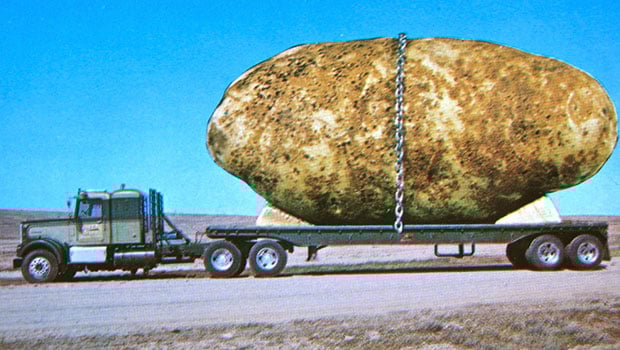
Scanning Around With Gene: We Grow ’em Big Here
I’ve always been a sucker for the various “exaggerated” postcard interpretations...