




Courtesy of Adobe Evangelists
Importing images from a memory card seems like a simple operation, and it is. However, you’re missing out on a lot of under-the-hood intelligence in Adobe Photoshop Lightroom if you don’t take advantage of its many import customization options.
In this video tutorial, Julieanne Kost makes it easy to understand what you can do, when you should do it, and why.
To begin the video stream for this 17-minute how-to, click on the image below:
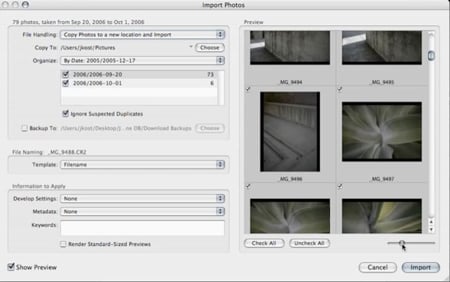
Copyright © 2007 Julieanne Kost and Daniel Brown. Used with permission of Adobe Evangelists
This article was last modified on January 4, 2023
This article was first published on June 15, 2007
Commenting is easier and faster when you're logged in!

Recommended for you

Fast Photo Fixes with AI in Photoshop
Learn how to use AI in Photoshop to quickly manipulate an image’s depth of field...

Creating Latte Art With Pixelmator
As a Photoshop user, you’re no doubt used to being asked to perform the im...
Using InDesign, Illustrator, and Photoshop Together: Moving Vectors
Vectors (aka paths) are very powerful items. Unlike pixel art that can look lous...