Back

If your email is not recognized and you believe it should be, please contact us.

  • You must be logged in to reply to this topic.Login

InCopy Text overflow

Return to Member Forum

  • Author
    Posts
    • #61580
      flopsy
      Member

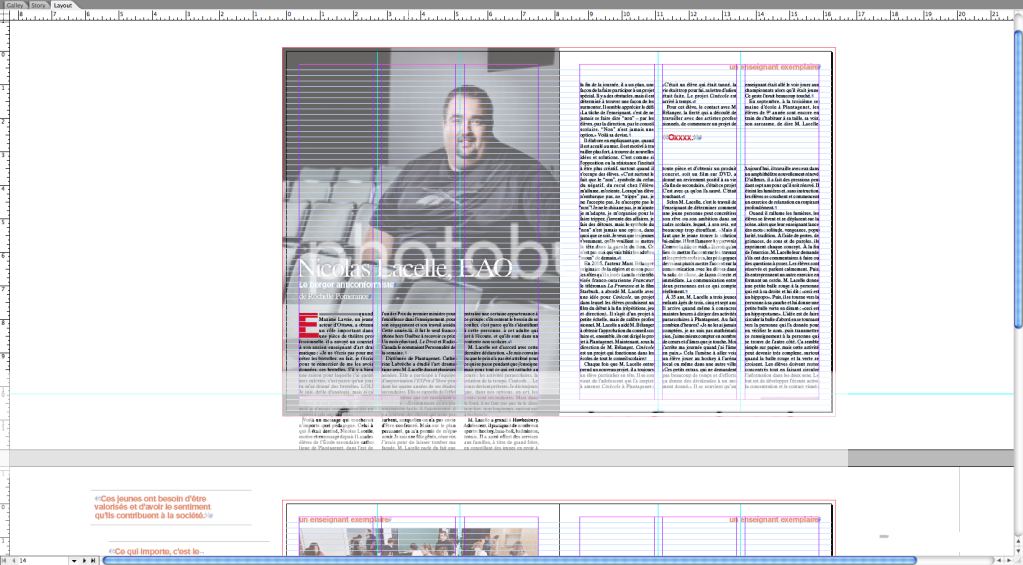
      I have an issue where the Incopy user sees text appearing below a text box (outside the frame) which then changes the flow of text. I have a screen cap but not sure yet how to post it. Has anyone out there seen this happen and know how to solve this.

      Thank you

      screen cap

    • #61611
      flopsy
      Member

      Really no one has experienced this??? Seems strange it has happened several times now…any advice would be greatly appreciated

    • #61612

      Flopsy, sorry, I've never seen that in InCopy. Maybe details would help.

      What version of InDesign and InCopy?

      Does this happen to every document this particular InCopy user works on?

      Can other InCopy users replicate the same problem?

      Is the InCopy user opening an assignment (ICML ) the InDesign file (INDD)?

      AM

    • #61613
      flopsy
      Member

      It happens in the icap/idap package workflow. I would say out of 17 files it happened 4 times. I work on a trade publication where each article is layed out in one indesign file. I then package an icap file and the client then opens up incopy on their machine.

      So far the only way I have been able to solve this when it does happen is to place an empty box with a text wrap which blocks the text from droping out from under the original text box.

      Unfortunately it is a crude workaround, was hoping for something more efficient.

      I am running indesign CS 5.5 and the client has incopy cs 5.5

Viewing 3 reply threads
  • You must be logged in to reply to this topic.

Forum Ads