




Recently while preparing an article for InDesign Magazine (insert sound of tooting own horn here) I was reminded of a bit of snippet trivia worth sharing. You probably know that you can save page objects in little mini files called snippets by selecting those objects and dragging them to your desktop or by choosing File > Export, Format: InDesign Snippet. And you probably know you can load a snippet into a document, either by dragging it in or by choosing File > Place.
But this is where it gets interesting. If you import the snippet with File > Place, a funny thing happens. When your cursor is loaded, before you click to place the snippet, take a look at your panels. All the resources like styles and swatches needed to build the snippet’s page objects are pre-loaded into the panels. It makes sense if you think about it. A snippet is just a little text file, like a set of instructions. InDesign has to load the raw materials before it can start constructing the page objects. If you cancel or undo the placement of the snippet, its styles and swatches are still imported into the document. You can actually see the two different steps when you undo.


In other words, you have to undo twice to remove the resources. Note this is not the case if you place a snippet by drag and drop or as an anchored object.
Some people would call the two-step snippet import-n-place process a little bug, and I wouldn’t totally disagree. It lies somewhere along the bug-feature continuum. But if we take a glass half-full approach, maybe we can turn this quirk to our advantage.
Like what if you wanted a way to store and share document resources like layers, styles (all varieties), swatches, tags, text conditions, text variables, and hyperlink destinations? There are various methods for sharing these resources between documents. But a little thing I like to call a Snippet Style Injector can get any custom combination of that stuff into a document in one super-fast step.
To use a Snippet Style Injector, take all the document resources you want to store, share, or re-use, and apply them to page objects. Since you’re only managing resources, you don’t have to bother with making it look nice. Just throw everything into a pile.
Select the pile and export it as a snippet.

To inject the styles, etc, into another document, choose File > Place and load the snippet.
Then “snippet in the bud.” When your cursor is loaded, cancel the place by pressing ESC, or almost any letter key that will select a tool from the Tool panel. v will get you back to the Selection tool. The only letters that won’t cancel the place are q, w, y, u, d, j, b, and x.
Bingo. All the document resources are added.
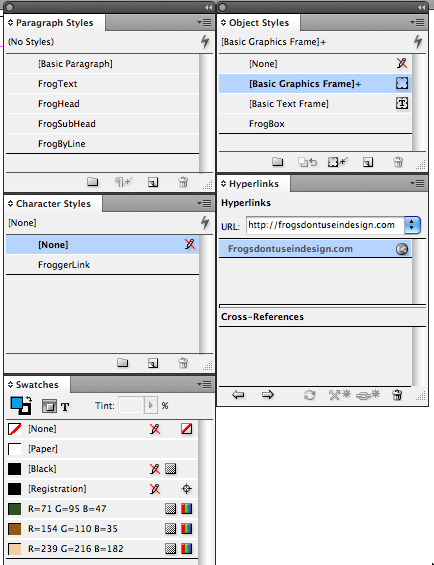
If you decide to give style injection a try, remember that it won’t override resources with the same names. This is just a means of adding resources to documents, not altering resources in documents.
This article was last modified on December 19, 2021
This article was first published on August 16, 2009
Commenting is easier and faster when you're logged in!

Recommended for you
Better first proofs. Fewer review rounds. Introducing PreProof™
Most designers are already familiar with Preflight — checking a document for tec...

Don’t Ask Your AI to Identify a Font
When it comes to identifying typefaces in images, artificial intelligence isn't...
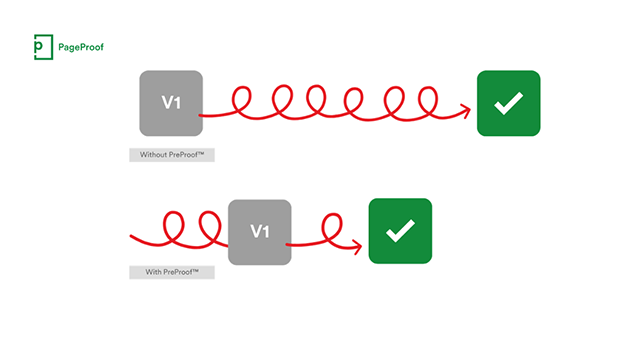
PageProof unveils PreProof™, giving creative teams better first proofs and fewer review rounds
PageProof’s new PreProof™ capability helps designers catch spelling, brand, and...