


Why Text Won’t Start at the Top of the Frame in InDesign
How to fix a common text alignment problem in InDesign


This article appears in Issue 63 of InDesign Magazine.
Q. I inherited a document from an art director who has left the company. I’ve got a weird thing happening. Most of the text starts at the top of its frame. But there are some frames where the text starts below the top of the frame. There’s no space before or leading changes in the text. And the Baseline Options for the frames are identical. I’ve made identical copies of the text, and it happens in some places but not others.
Even weirder, when I put the text on the pasteboard, the text stays at the top of the frame all the time. I looked for some sort of runaround on the page, but can’t find anything.
A. You’ve covered all the obvious causes, and I confess I was a little stumped until you mentioned that things work normally when the text is off the page. Your subheads have been set to align to the baseline grid of the document (Figure 1)!
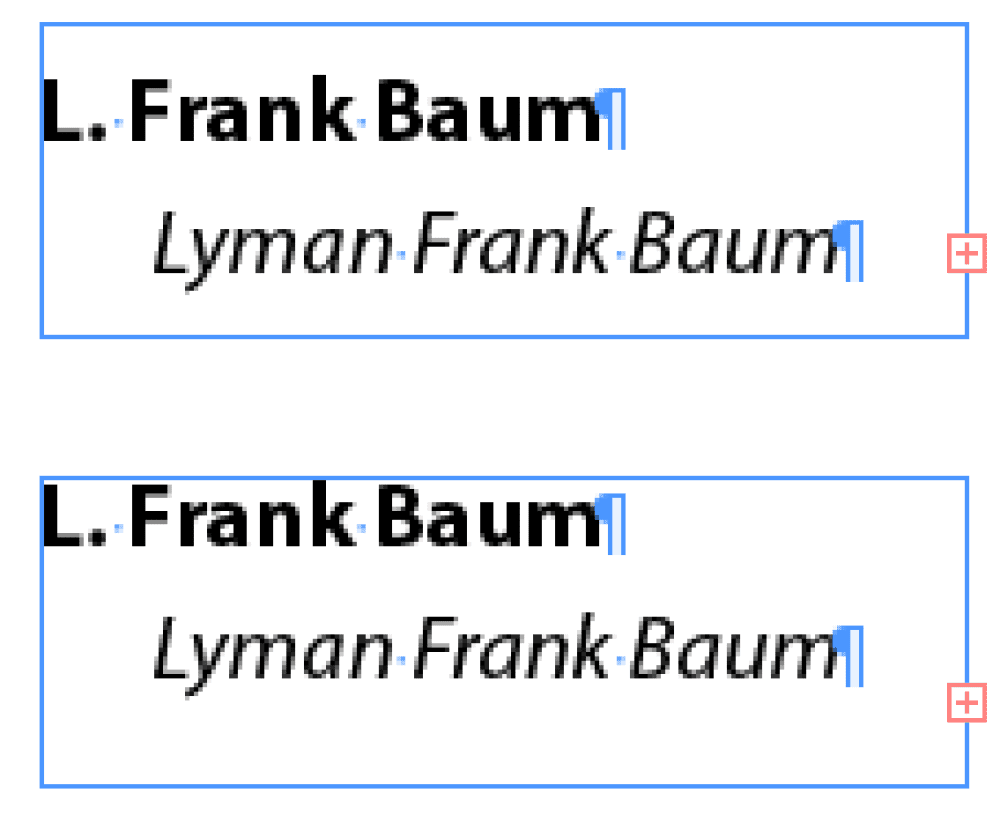
Figure 1: Two text frames which have the text starting at different positions in the frame.
With Align to Baseline Grid turned on, the text automatically jumps to the next grid line on the page. So your subhead text has to move up and down inside the frame to start on the next available baseline. Choose View > Grids & Guides > Show Baseline Grid, and you’ll see how the text aligns to the baseline and adds space at the top of the frame (Figure 2).
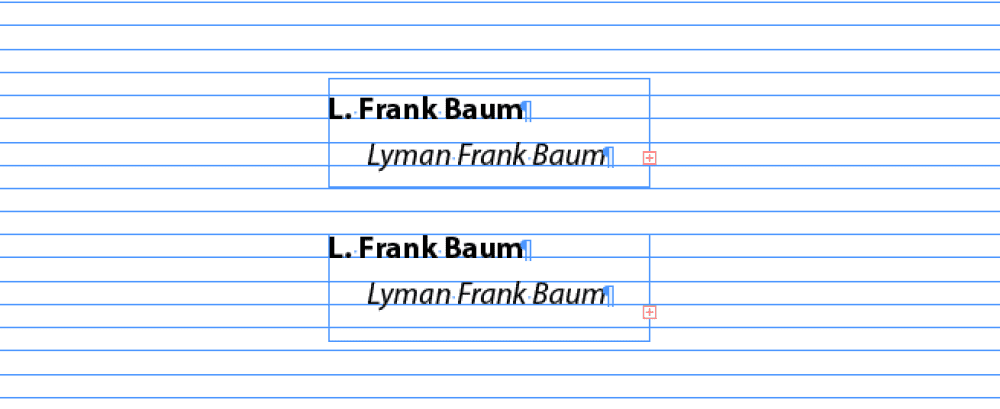
Figure 2: Turn on the baseline grid to see how the text has jumped within the frame to stay aligned to the grid.
The reason that the text works “normally” off the pasteboard is that the baseline grid extends only over pages. So as soon as you moved the text off the page, the setting to align to the baseline grid is disabled.
This article was last modified on March 3, 2025
This article was first published on July 1, 2014
Commenting is easier and faster when you're logged in!

Recommended for you

Seybold Seminars No More: The End of an Era
In a largely unpublicized move, the parent company of Seybold Seminars, MediaLiv...
Scanning Around with Gene: Paste-up Limericks
I’ve written many times about old-school paste-up techniques and I always get a...

Experimenting with Illustrator’s New Mockup Feature
Take a first look at the Mockup feature in the best version of Adobe Illustrator