Back

If your email is not recognized and you believe it should be, please contact us.

  • You must be logged in to reply to this topic.Login

Stacked borders / padded image?

Return to Member Forum

  • Author
    Posts
    • #14362212
      Olivier Murith
      Participant

      Hi,
      Is there an easy way to add a “double” border to an image?
      I would like to create some kind of “frame” for pictures, where the image is surrounded by a thick border, then a thin one.
      I have tried to achieve that with custom strokes, but it does not work in my case, as I would like the thick border to be other than white/transparent.
      I managed a hack, by using an external glow effect, but it feels “dirty”… ^__^
      Is there a way to achieve that without stacking frames?

      I really miss the Illustrator feature that allows you to stack how many borders you want…
      Or a “padding” feature for pictures frames, like it exists for text frames

    • #14362213
      Petar Petrenko
      Participant

      Yes, you can. Just select from the stroke type (thick-thin) bellow the stroke size in Control bar.

    • #14362214
      David Blatner
      Keymaster

      I agree that it would be so awesome to have AI’s appearance panel. But in the meantime, there are still so many ways to make borders around frames. Here are a few articles:

      Photographic Frames and Mattes

      How to Inset a Stroke Partially Inside a Frame

      Polaroid Pix

    • #14362215
      Olivier Murith
      Participant

      mmmh… Thanks, but either I am missing something obvious, or something was lost in translation in my question.

      What you are suggesting gets me only the ability to have one colour stroke, and even if I create a custom stroke, the “thick”/white part is in fact non-existant/transparent, so it does not work on coloured background.

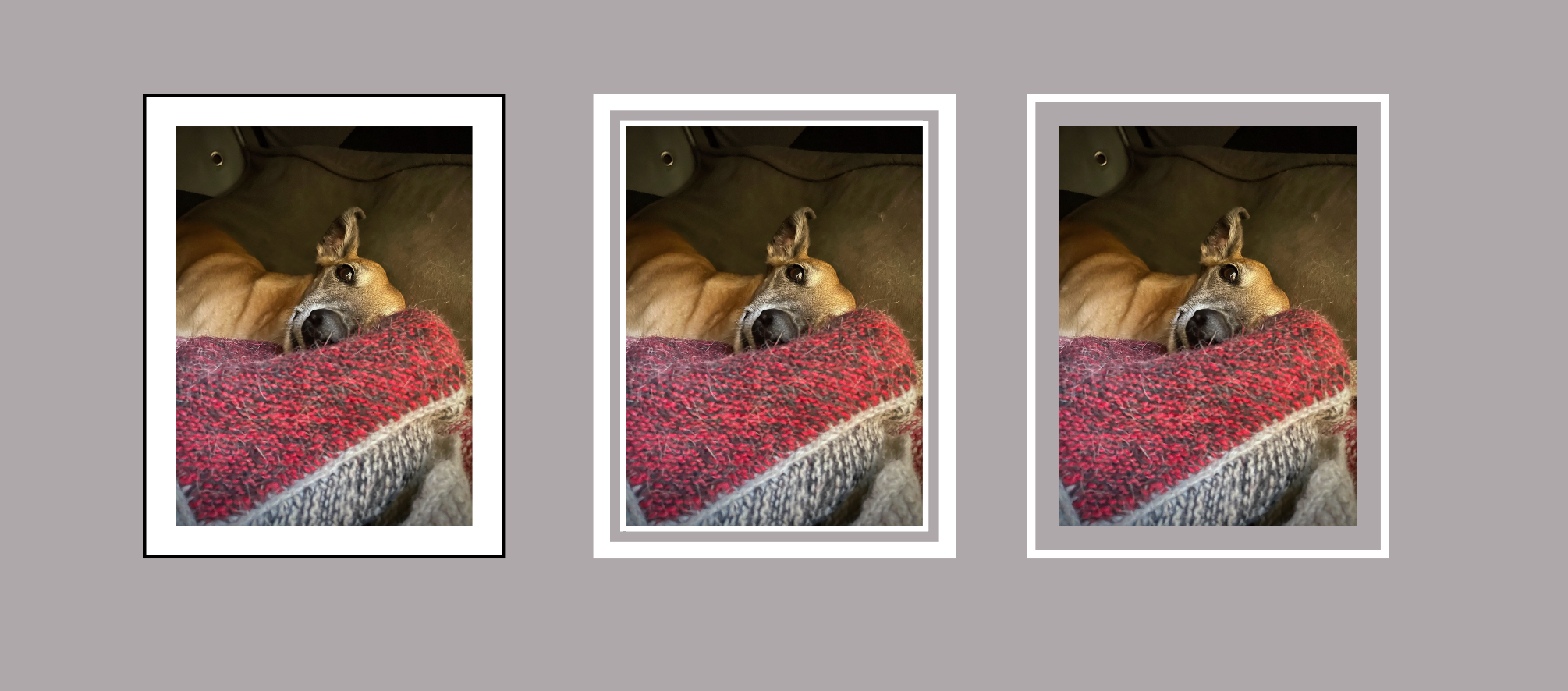
      What I would like to achieve is the first image on my example below, with the ability to have a thick padding coloured border around the image, and a another thinner one in another color, without having to stack multiple frames, and obviously without having to measure for each image to accommodate the size of the padding, etc.

    • #14362216
      Olivier Murith
      Participant

      Sorry David, you posted just during I was answering, I’ll go and look at your links.

    • #14362217
      Olivier Murith
      Participant

      Thank you!

      I had stupidly completely missed the “gap color” option… >__<

    • #14362218
      David Blatner
      Keymaster

      Not stupid. Easy to miss. Glad you found it!

Viewing 6 reply threads
  • The forum ‘General InDesign Topics (CLOSED)’ is closed to new topics and replies.

Forum Ads