



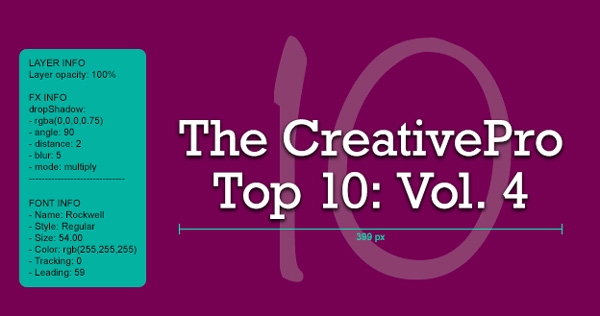
It’s true that a picture’s worth a thousand words. It’s also true that you could end up typing more than a thousand words to precisely document all the layers, type, shapes, and effects in your Photoshop documents. But with the free plug-in Ink by chrometaphore, you can skip all that tedious measuring and typing, and instantly gather precise specifications. That way there’s no guesswork, and no wasted time when you have to hand a design off to someone else to work with, or just when you want all the specs handy for your own reference.

Just install Ink in Photoshop CS6 or CC and click the buttons in the panel to create grouped documentation layers showing the measurements and properties of objects or selections.

Voila! Instant accurate info that you can show or hide just by changing the visiblity of the layers in the Layers panel.
This article was last modified on January 8, 2023
This article was first published on March 7, 2014
Commenting is easier and faster when you're logged in!

Recommended for you
Capture the Look of Classic Analog Photography With VSCO Film Emulations
If you were an avid photographer in the analog days, you probably had a few favo...

Quark and The Art Institutes Annual Design Competition Honors Students' Tribute to Typography
Quark Inc. today announced the winners of its annual graphic design competition...
5 Great Script Fonts From Adobe Fonts
Need a great script font for use in your next InDesign project? Look no further!