



If you ever need to reverse a numbered list in InDesign, (reversing either the list numbers or the items themselves), here’s how to do it.
First, if you need to reverse the numbering, keeping the list items themselves in place, you can use a script written by Jongware. Download it here.
Once you have the script installed, put your cursor in the first paragraph in the list and run the script.
So this:
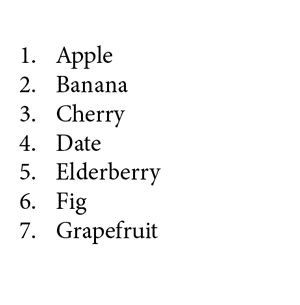
Becomes this:

The order of items is the same but the numbering now counts down.
Or, if you need to reverse the order of items, keeping the numbering the same, the solution depends on whether the items are in alphabetical order. If they are, you can simply use the Sort Paragraphs script that comes with InDesign.
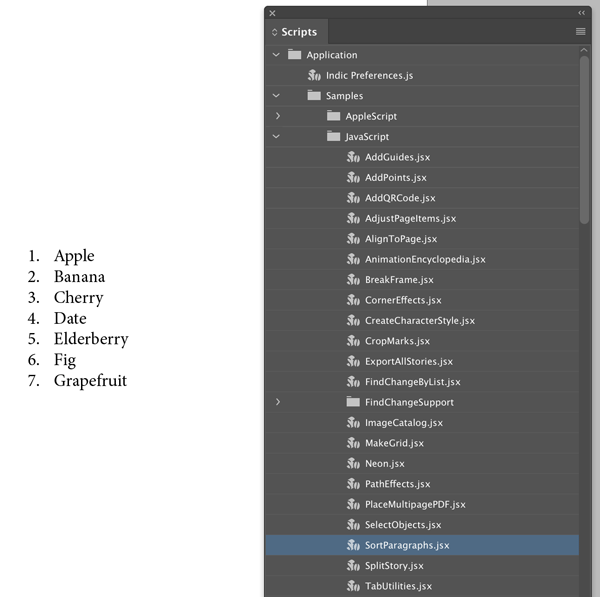
Select all the paragraphs in the list, then run the script.
In the script dialog box, choose Reverse Sort and click OK.


If your items are not in alphabetical order, then you need the help of a spreadsheet like Excel or Google Sheets.

For example, to use Google Sheets, copy your list and paste it into Column B of a new Sheet.

In Cell A1, type 1. In Cell A2, type 2.

Then Shift-click to select both cells and drag the bottom right corner of the selection border down to fill Column A with as many numbers as you need for your list.

Then choose Data > Sort sheet by column A, Z–A.

The order of items will be reversed.

Now you can select your list items in Column B, and copy and paste them back into InDesign.


This article was last modified on September 18, 2023
This article was first published on October 28, 2019
Commenting is easier and faster when you're logged in!

Recommended for you
How to Set Up a Decimal-Aligned Numbered List in InDesign
Ever have trouble figuring out how to set up a decimal-aligned numbered list? Yo...

Use Numbered Lists Instead of Auto Page Numbering
Sure, InDesign has an automatic page number feature. But sometimes other numberi...

Creating Number Circles
Try one of these techniques to add some pop to your next numbered list.